
Reviews
Deine Folien sind meine 'geheime Zutat', wenn es darum geht, meine Ideen Kunden zu visualisieren. Ich spare so viel Zeit.
Ihre Folien führen oft zu guten Kommentaren und Ideen meines Teams, die die endgültigen Folien verbessern.
Description
Key Performance Indicators Explained – 6 Elements
Slide Content
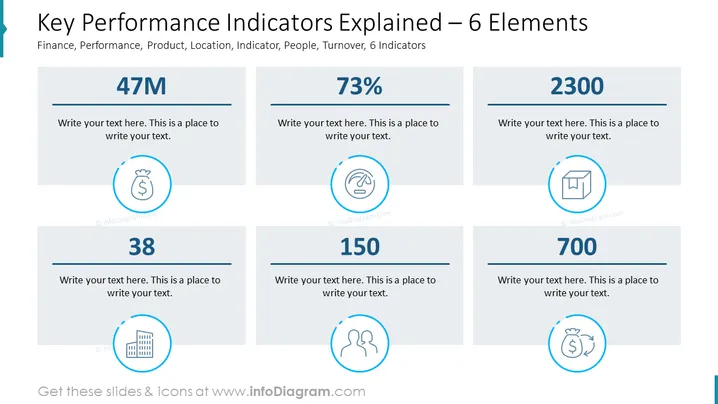
The slide presents six key performance indicators (KPIs) which are critical metrics commonly used to evaluate the success of an organization in various areas. Each KPI has a unique icon and placeholder text suggesting customization for specific data points. The indicators are as follows: a financial metric represented by a money bag, a performance metric symbolized by a speedometer, a product-related measure indicated by a box icon, a locator icon signifying a place or location-based metric, a people icon depicting human resources or personnel metrics, and a turnover or financial exchange symbol.
Graphical Look
- The slide has a bold title at the top in a large font.
- Identical rectangular shapes are aligned horizontally and evenly distributed across the slide to represent each KPI.
- Each rectangle contains a large numeral, suggesting a placeholder for a quantitative value.
- Below each numeral, there is placeholder text for a description or commentary regarding the KPI.
- Centrally placed within each rectangle, below the numeral, is a circular icon describing the nature of the KPI.
- There is a consistent color theme with blue and grey tones used for the text, icons, and decorative elements.
The overall look of the slide is clean and corporate, with a focus on simplicity and ease of interpretation. The icons are visually intuitive, ensuring that the KPIs are instantly recognizable.
Use Cases
- In a business review meeting to highlight current performance figures.
- During a strategic planning session to set and discuss target metrics.
- For investor presentations to showcase the company's key financial and operational metrics.
- In internal dashboards or reports circulated to staff to update on organizational performance and goals.
How to Edit
How to edit text & colors

How to expand / shorten diagram

How to Replace Icons in infoDiagram PPT


