
Reviews
The icons are fantastic, easy to use, and will add value to any project or presentation. Keep up the great work.
I love how simple infoDiagram's solutions are and the personal interest they took in my work. Recommended 1000%!
The crisp, clean look of the graphics, and the fact that it allowed me to easily edit and change the colors to match the template was my main reason for purchasing them.
Description
3 Key Performance Indicator Values Comparison Template
Slide Content
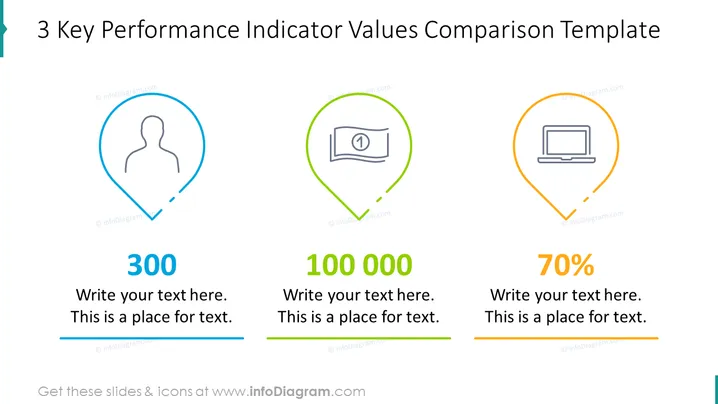
The slide presents a clear comparison template for three key performance indicators (KPIs). Each KPI is encapsulated in a distinct, colored marker pin-like shape, containing an icon representing the metric—a user silhouette, a cash bill, and a laptop. The markers are aligned horizontally and are numbered "300," "100 000," and "70%," respectively. Each number has an accompanying text box below for additional explanation, suggesting a quantitative measure and its context or significance.
Graphical Look
- Three large, colored icons shaped like marker pins are equally spaced across the slide.
- Each marker pin is filled with a different colored outline: blue, green, and orange.
- Icons within the marker pins represent different concepts: a user profile, currency bill, and a laptop.
- Under each marker pin, there is a large bold number: "300," "100 000," and "70%".
- Each number is followed by two lines of placeholder text for additional detail.
- A solid colored line stretches under the text, corresponding with the color of the above marker pin.
- All elements are on a plain white background, providing a clean and minimalist aesthetic.
The slide has a modern and professional look, using a simple color palette and clean lines. The design is minimalistic, which helps in focusing on the data points.
Use Cases
- Presenting monthly or quarterly business performance metrics in management meetings.
- Visualizing customer engagement statistics in a marketing presentation.
- Displaying financial figures, such as sales or revenue, in investor relations briefings.
- Comparing technology metrics, like website conversion rates, in a digital strategy overview.
How to Edit
How to edit text & colors

How to expand / shorten diagram

How to Replace Icons in infoDiagram PPT


