
Reviews
Sus gráficos añaden un toque agradable a mis presentaciones y recientemente los usé para una de mis reuniones generales. Su conjunto de herramientas añade profesionalismo a mis diapositivas. En lugar de usar imágenes prediseñadas estándar.
Necesitaba un aspecto fresco para algunas de mis diapositivas. Había intentado encontrar una forma de crear un efecto de pincel, de subrayar, acentuar, añadir algo de color y los marcadores escritos a mano fueron justo lo que necesitaba. Muy fácil de usar, fácil de ajustar el tamaño, cambiar el color. Fue una solución asequible y perfecta, y estoy feliz de recomendarla.
El aspecto nítido y limpio de los gráficos, y el hecho de que me permitiera editar y cambiar fácilmente los colores para que coincidieran con la plantilla fue mi principal razón para comprarlos.
Description
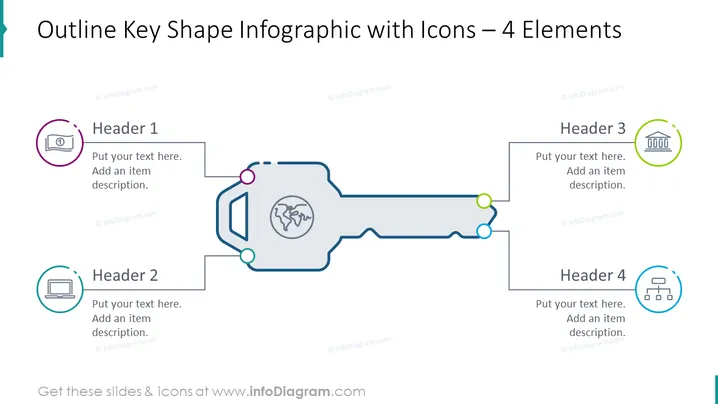
Outline Key Shape Infographic with Icons – 4 Elements
Slide Content
The PowerPoint slide titled "Outline Key Shape Infographic with Icons – 4 Elements" depicts a key-shaped graphic designed to outline four key concepts or categories. Each of the four elements is associated with a distinct header ("Header 1" to "Header 4") and includes space for descriptive text below each heading. The design conveys a sequential or interconnected relationship among the items, suggesting that they form part of a unified structure or process.
Graphical Look
- A large key outline forms the central visual element, stretching horizontally across the slide.
- The key's teeth are denoted by colored circles that correspond to the icon's colors adjacent to each header.
- There are four distinct colorful icons, each encircled and placed near one corner of the slide.
- Each icon corresponds to an information box with a header and placeholder text for a more detailed description.
- The color scheme exhibits a mix of muted and bright colors, balancing professionalism with visual appeal.
- The design is clean and modern, with lines connecting the icons to the key shape which suggests connectivity or steps.
The overall look of the slide is sleek and professional, with a creative key-shaped infographic that visually ties together four discrete elements. The use of color is judicious, enhancing the clarity and attractiveness of the design.
Use Cases
- To illustrate the steps in a process or a series of interconnected tasks in a business presentation.
- To showcase the key components of a business strategy or model in a visually engaging format.
- For detailing the features of a product or service where each icon represents a unique selling point.
- As an agenda or overview slide at the beginning of a presentation to outline the main topics to be discussed.
How to Edit
How to edit text & colors

How to expand / shorten diagram

How to Replace Icons in infoDiagram PPT


