
Reviews
Sus gráficos añaden un toque agradable a mis presentaciones y recientemente los usé para una de mis reuniones generales. Su conjunto de herramientas añade profesionalismo a mis diapositivas. En lugar de usar imágenes prediseñadas estándar.
Necesitaba un aspecto fresco para algunas de mis diapositivas. Había intentado encontrar una forma de crear un efecto de pincel, de subrayar, acentuar, añadir algo de color y los marcadores escritos a mano fueron justo lo que necesitaba. Muy fácil de usar, fácil de ajustar el tamaño, cambiar el color. Fue una solución asequible y perfecta, y estoy feliz de recomendarla.
El aspecto nítido y limpio de los gráficos, y el hecho de que me permitiera editar y cambiar fácilmente los colores para que coincidieran con la plantilla fue mi principal razón para comprarlos.
Description
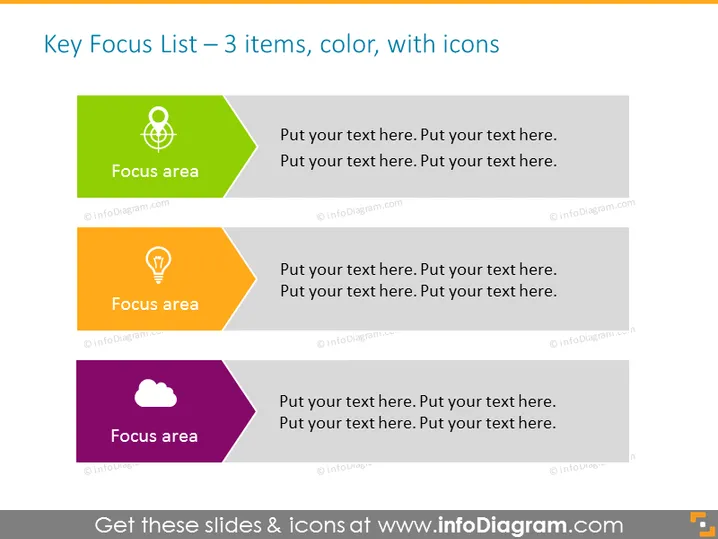
Key Focus List – 3 items, color, with icons
Slide Content
The slide is titled "Key Focus List – 3 items, color, with icons" and presents a list format divided into three sections, each with a different vibrant color and a distinct icon. The green section is labeled "Focus area" and features a target icon, possibly implying goal setting or prioritization. The orange section also reads "Focus area" and includes a lightbulb icon, suggesting ideas or innovation. The purple segment repeats the "Focus area" label and shows a cloud icon, which may represent cloud computing or abstract concepts.
Graphical Look
- The slide has a plain white background which enhances the visibility of the colored elements.
- There are three distinct content blocks, each with its own bright color: green, orange, and purple.
- Each content block has a white icon aligned to the left: a target for the green block, a lightbulb for the orange one, and a cloud for the purple.
- Next to each icon is a header titled "Focus area" in white bold font, followed by placeholder text.
- The shapes of the content blocks are hexagonal with the right-angled corner cut, giving a modern and dynamic look.
- The icons within the content blocks are simplistic and easily recognizable, relating to the themes they represent.
The overall design of the slide is clean and modern, with a focus on readability and structure. The use of contrasting colors and distinct icons creates a visually engaging presentation that easily guides the viewer's eye through the list items.
Use Cases
- To present a strategic plan with three key objectives or areas of focus.
- In a brainstorming session to highlight primary themes or ideas under discussion.
- During a business meeting to list and explain the core services or products offered by a company.
- For educational purposes, to identify and outline the main topics of a lesson or a workshop.
How to Edit
How to edit text & colors

How to expand / shorten diagram

How to Replace Icons in infoDiagram PPT


