
Reviews
Your graphics add a nice touch to my presentations and I recently used them for one of my all-hands meetings. Your toolbox adds professionalism to my slides. Instead of using standard clipart.
I needed a fresh look at some of my slides. I've tried to find a way to create a paintbrush effect, to underline, accentuate, add some color and the handwritten markers were just the things. Very easy to use, easy to size, change the color. It was an affordable, perfect solution and I'm happy to recommend it.
The crisp, clean look of the graphics, and the fact that it allowed me to easily edit and change the colors to match the template was my main reason for purchasing them.
Description
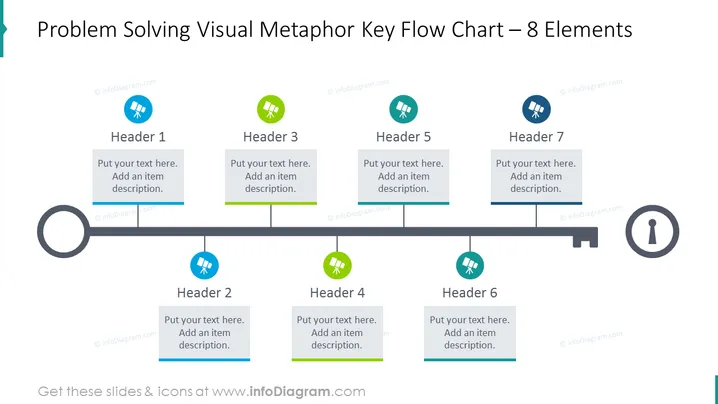
Problem Solving Visual Metaphor Key Flow Chart – 8 Elements
Slide Content
The PowerPoint slide titled "Problem Solving Visual Metaphor Key Flow Chart – 8 Elements" depicts a process flow with eight distinct steps. Each step is represented by a circular icon with a unique design and a color accent (blue or green), an associated header (1 through 7), and a text box for additional descriptions. This diagram emphasizes the sequential nature of problem-solving and can be used to outline various stages or concepts within a workflow or strategy.
Graphical Look
- The slide background is white, providing a clean, uncluttered canvas for content.
- A horizontal black line represents the flowchart's path, moving through each step.
- There are eight step markers, four with blue icons and four with green icons, evenly spaced along the flow line.
- Each step marker consists of a circular icon with a simplistic white symbol inside.
- Headers labeled "Header 1" to "Header 7" are placed above seven gray text boxes aligned with corresponding icons.
- The text boxes have a green accent line on their lower border.
- At the start of the flowchart, there is a large hollow gray circle, and at the end, there is a keyhole icon indicating the final goal or solution.
- A magnifier, cog, clipboard, and trophy icons are among the symbolic images used in the circular step markers.
The slide presents a harmonized and professional look, with a clear visual indication of progression through the use of color-coded icons and a consistent design theme. It is minimalistic yet effective in delivering the concept of sequential steps or elements in a process.
Use Cases
- Explaining the stages of a project or workflow during a business presentation or team meeting.
- Illustrating a step-by-step problem-solving approach in a training or educational session.
- Outlining the key elements of a strategy plan in a management or board meeting.
- Visual izing decision-making processes in a corporate strategy document or proposal.
How to Edit
How to edit text & colors

How to expand / shorten diagram

How to Replace Icons in infoDiagram PPT


