
Reviews
The icons are fantastic, easy to use, and will add value to any project or presentation. Keep up the great work.
I love how simple infoDiagram's solutions are and the personal interest they took in my work. Recommended 1000%!
The crisp, clean look of the graphics, and the fact that it allowed me to easily edit and change the colors to match the template was my main reason for purchasing them.
Description
Key Infographic Central List – 8 Items with Symbols
Slide Content
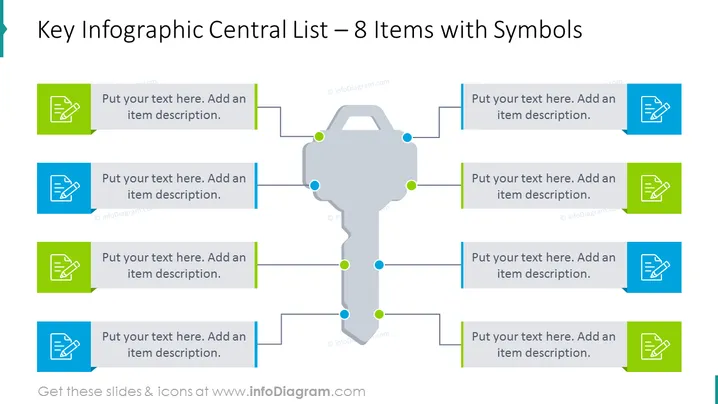
The PowerPoint slide presents a central list infographic with eight items paired with symbols, suggesting it is designed for categorizing and explaining key concepts or components. Each item is represented by a colored square with a unique symbol, and a placeholder text that prompts the presenter to "Put your text here. Add an item description," indicating where detailed explanations are to be inserted. This format is beneficial for a visually engaging representation of complex information in a structured, easy-to-follow pattern.
Graphical Look
- The slide has a central, gray, key-shaped graphic with green and blue dots at various points.
- There are four blue rectangular boxes on each side of the key symbol, each containing a white icon.
- Each blue box has a small green square on its left border.
- Lines connect each blue box to a corresponding dot on the key.
- Placeholder text is found on the right side of each blue box, intended for explanations.
- The overall design employs a two-tone color scheme—shades of blue and green.
The slide is clean and modern, with a symmetrical layout that draws the audience's attention to the central key graphic. The use of direct lines to connect text boxes to the key suggests a relationship between concepts or steps.
Use Cases
- To present the main features of a product or service, with each key point highlighted and explained.
- For illustrating stages in a process or workflow, with the key symbolizing the central objective or unlocking each step.
- In strategic planning presentations, where each item represents a critical success factor or goal.
- To compare different categories or principles, offering a succinct visualization that facilitates understanding and retention.
How to Edit
How to edit text & colors

How to expand / shorten diagram

How to Replace Icons in infoDiagram PPT


