
Reviews
Your graphics add a nice touch to my presentations and I recently used them for one of my all-hands meetings. Your toolbox adds professionalism to my slides. Instead of using standard clipart.
I needed a fresh look at some of my slides. I've tried to find a way to create a paintbrush effect, to underline, accentuate, add some color and the handwritten markers were just the things. Very easy to use, easy to size, change the color. It was an affordable, perfect solution and I'm happy to recommend it.
The crisp, clean look of the graphics, and the fact that it allowed me to easily edit and change the colors to match the template was my main reason for purchasing them.
Description
Outline Icons for Kanban Boards
Slide Content
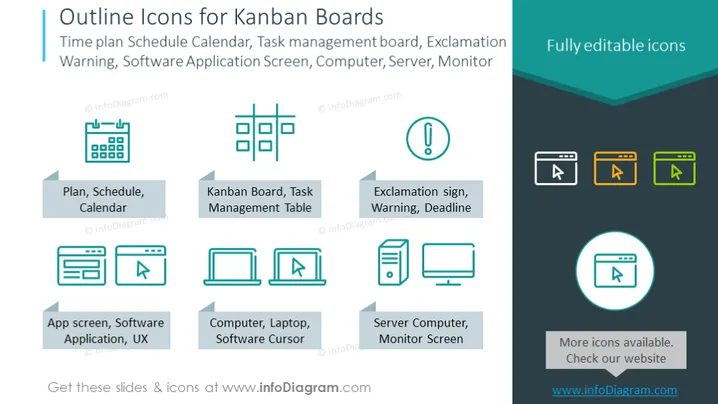
The PowerPoint slide is titled "Outline Icons for Kanban Boards" and describes a set of vector icons relevant to project management and Kanban boards. The icons include a Plan, Schedule, or Calendar symbolizing organization and time management; a Kanban Board or Task Management Table representing the visualization of work; an Exclamation sign for alerts, warnings, or deadlines; an App screen or Software Application for user experience design; a Computer, Laptop, or Software Cursor indicating technology interfaces; and a Server Computer or Monitor Screen for system hardware components.
Graphical Look
- The slide background is a gradient of light to darker teal.
- The title is at the top in bold white font, larger than other text.
- Six icons are positioned in two rows of three, each paired with a descriptive label underneath.
- All icons are outlined with a thin stroke, giving a modern and clean aesthetic.
- Icons are colored in a pastel teal, orange, and white, with high contrast against the background.
- Descriptive labels are in small white font, coupled with grey arrow-shaped bullet points.
- The right side of the slide has a dark teal box with the words "Fully editable icons" in white.
- To the far right, a circular badge with a monitor icon includes the text "More icons available. Check our website."
The slide has a balanced and symmetrical arrangement, with a clean, professional design aesthetic. The use of flat icons and a harmonious color palette gives it a contemporary feel suitable for business presentations.
Use Cases
- To introduce a digital project management tools suite during business or team meetings.
- When explaining project management methodologies, particularly Kanban, during a training session.
- In a sales pitch for a software company offering project management solutions.
- During a webinar or online course about productivity and efficient workflow organization.
How to Edit
How to edit text & colors

How to expand / shorten diagram

How to Replace Icons in infoDiagram PPT


