
Your graphics add a nice touch to my presentations and I recently used them for one of my all-hands meetings. Your toolbox adds professionalism to my slides. Instead of using standard clipart.
Claude Jones, Director of Engineer, @Walmartlabs, USA
Your graphics add a nice touch to my presentations and I recently used them for one of my all-hands meetings. Your toolbox adds professionalism to my slides. Instead of using standard clipart.
Claude Jones, Director of Engineer, @Walmartlabs, USA
I needed a fresh look at some of my slides. I've tried to find a way to create a paintbrush effect, to underline, accentuate, add some color and the handwritten markers were just the things. Very easy to use, easy to size, change the color. It was an affordable, perfect solution and I'm happy to recommend it.
Anonymous, US
The crisp, clean look of the graphics, and the fact that it allowed me to easily edit and change the colors to match the template was my main reason for purchasing them.
Brandie Jenkins, E-learning Developer, USA
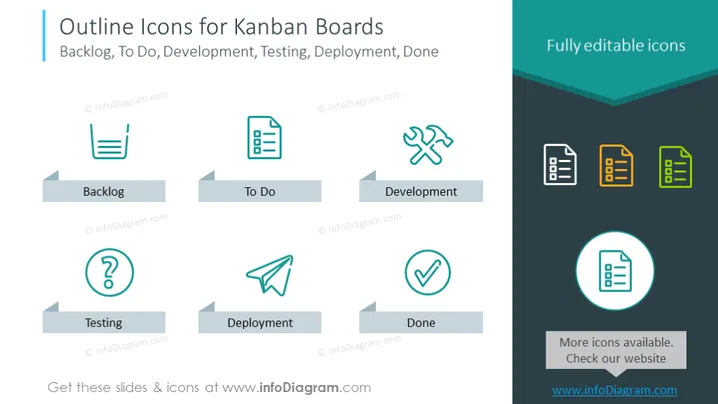
This slide presents a collection of outline icons designated for Kanban boards, illustrating various stages such as Backlog, To Do, Development, Testing, Deployment, and Done. Each icon is visually indicative of its respective phase — a stacked list for Backlog symbolizing tasks awaiting prioritization, a document for To Do hinting at the organization of forthcoming tasks, tools for Development suggesting active work, a question mark for Testing implying scrutiny and verification, a paper plane for Deployment representing the launch, and a check mark for Done indicating task completion. An additional note mentions that these icons are fully editable.
The slide utilizes clean lines, a simple color palette, and an organized layout to convey clarity and ease of understanding. The use of contrasting colors emphasizes the editable nature of the icons and draws attention to different Kanban stages.




