
Reviews
Vos graphiques ajoutent une belle touche à mes présentations et je les ai récemment utilisés pour l'une de mes réunions générales. Votre boîte à outils ajoute du professionnalisme à mes diapositives. Au lieu d'utiliser des cliparts standards.
J'avais besoin d'un nouveau regard sur certaines de mes diapositives. J'ai essayé de trouver un moyen de créer un effet de pinceau, de souligner, d'accentuer, d'ajouter de la couleur et les marqueurs manuscrits étaient exactement ce qu'il fallait. Très facile à utiliser, facile à ajuster la taille, à changer la couleur. C'était une solution abordable et parfaite et je suis heureux de la recommander.
L'aspect net et épuré des graphiques, et le fait qu'il m'ait permis d'éditer et de changer facilement les couleurs pour les adapter au modèle, ont été les principales raisons de mon achat.
Description
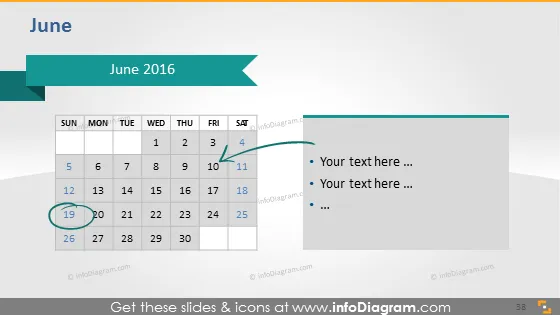
June 2016
Slide Content
The slide is titled "June 2016" and showcases a calendar layout for that month. It visually emphasizes the 19th of June with a circular marker and a connecting line pointing to a section on the right, which is allocated for text inputs. This feature could be user-friendly for highlighting specific days and adding related notes or events.
Graphical Look
- The title "June 2016" is displayed at the top, in large, bold font framed by two arrow-shaped banners pointing towards each other.
- A standard monthly calendar grid represents June, with days of the week labeled at the top. The dates progress from left to right and top to bottom.
- The 19th of June is accentuated with a circle and a color that stands out from the rest of the dates.
- A curved connector line extends from the circular marker on the 19th to a text box area.
- The text box area includes bullet points for inserting custom text or descriptions.
- The overall color scheme involves shades of teal and grey.
The slide has a modern, professional look with a clean layout. The use of color and shapes effectively draws attention to specific information.
Use Cases
- Scheduling important business events or deadlines to share with a team during a meeting.
- Presenting a timeline of activities or milestones for a project's progress update.
- Highlighting a particular date for a product launch or campaign kickoff in a marketing presentation.
- Using as a template to track and discuss key dates or company holidays during HR or operational meetings.
How to Edit
How to edit text & colors

How to expand / shorten diagram

How to Replace Icons in infoDiagram PPT


