
Reviews
Your graphics add a nice touch to my presentations and I recently used them for one of my all-hands meetings. Your toolbox adds professionalism to my slides. Instead of using standard clipart.
I needed a fresh look at some of my slides. I've tried to find a way to create a paintbrush effect, to underline, accentuate, add some color and the handwritten markers were just the things. Very easy to use, easy to size, change the color. It was an affordable, perfect solution and I'm happy to recommend it.
The crisp, clean look of the graphics, and the fact that it allowed me to easily edit and change the colors to match the template was my main reason for purchasing them.
Description
July
Slide Content
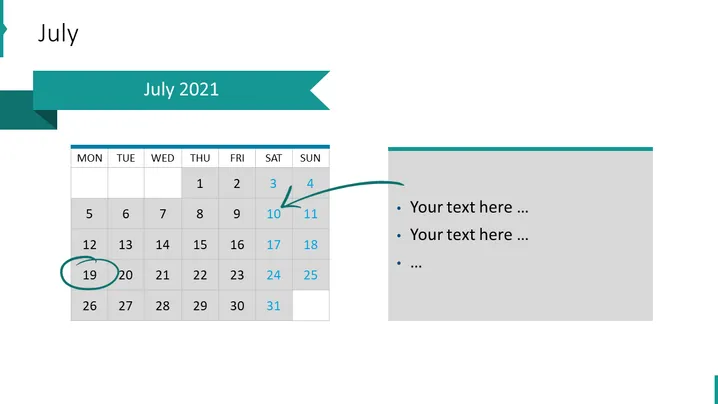
The slide features a calendar for the month of July 2021 with specific dates highlighted and accompanied by a text box for additional information. Dates 10-11 are marked with an arrow, suggesting a weekend event, while dates 19-20 are circled, possibly indicating an important weekday event or deadline. The text box to the right provides placeholders for further descriptions related to the dates or general information that is intended to be customized by the presenter.
Graphical Look
- The slide background is white, maintaining a clean and professional appearance.
- The month "July" appears prominently at the top of the slide in bold, dark text, providing clear context for the content.
- A teal-colored banner extends from the top left corner, containing "July 2021" in white text, mirroring the slide's main focus, the calendar.
- The calendar displays days of the week as column headers, with weekends shaded differently, indicating a visual separation of weekdays and weekends.
- Highlighted dates have a blue circular mark or an arrow pointing towards them, drawing attention to their significance.
- To the right of the calendar is a text box with a teal header matching the banner's color, containing bullet points for adding detailed text.
- The visual elements are well-spaced, balanced, and aligned, ensuring readability and a sense of order.
The overall look of the slide is modern and well-organized, utilizing a cohesive color scheme and clear visual cues to indicate specific dates and events.
Use Cases
- To present key dates or milestones in a project timeline during business meetings.
- For scheduling and outlining the agenda of a corporate event or conference.
- As part of a monthly review presentation to highlight significant achievements or deadlines.
- To illustrate holiday schedules or planned leaves in HR and operations briefings.
How to Edit
How to edit text & colors

How to expand / shorten diagram

How to Replace Icons in infoDiagram PPT


