
Reviews
Sus gráficos añaden un toque agradable a mis presentaciones y recientemente los usé para una de mis reuniones generales. Su conjunto de herramientas añade profesionalismo a mis diapositivas. En lugar de usar imágenes prediseñadas estándar.
Necesitaba un aspecto fresco para algunas de mis diapositivas. Había intentado encontrar una forma de crear un efecto de pincel, de subrayar, acentuar, añadir algo de color y los marcadores escritos a mano fueron justo lo que necesitaba. Muy fácil de usar, fácil de ajustar el tamaño, cambiar el color. Fue una solución asequible y perfecta, y estoy feliz de recomendarla.
El aspecto nítido y limpio de los gráficos, y el hecho de que me permitiera editar y cambiar fácilmente los colores para que coincidieran con la plantilla fue mi principal razón para comprarlos.
Description
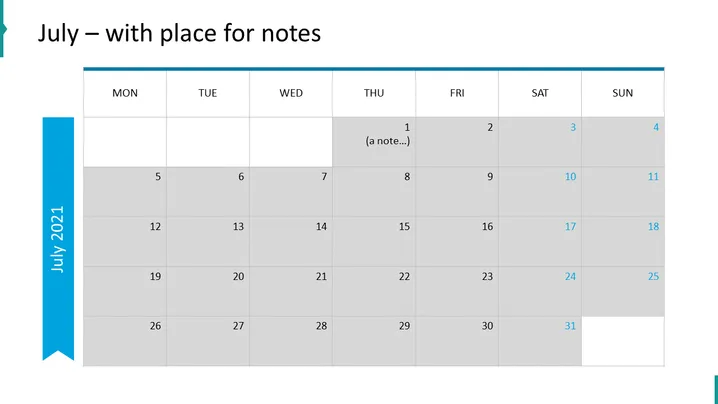
July – with place for notes
Slide Content
The slide is a calendar template for the month of July, with a distinct space for adding notes. Each day of the week is clearly marked, starting with Monday and ending with Sunday. The first day of the month falls on a Thursday. The calendar provides an overview of the month at a glance, and with its designated note space, it serves as an organizational tool for planning events, reminders, or deadlines.
Graphical Look
- The slide background is white.
- A thick, blue vertical banner on the left edge of the slide contains the text "JULY 2021."
- The calendar grid is central, with columns for each day of the week and rows for the weeks of the month.
- Day headings ("MON," "TUE," "WED," etc.) are in bold and in individual cells at the top of each column.
- Dates are presented in individual cells, with weekends shaded in a lighter gray tone than weekdays.
- There's an example note inside the cell for Thursday the 1st, written in italics: "(a note...)."
- A blue horizontal bar spans across the top of the calendar.
The slide features a minimalist and clean design with a professional color scheme dominated by shades of blue and gray. The use of colors to differentiate between weekends and weekdays adds a functional aspect to the design.
Use Cases
- To display key dates and deadlines in a business project timeline.
- To plan and outline a month’s worth of activities during a team meeting.
- To organize and schedule marketing campaigns and related tasks.
- As a personal organizer for managers or team leaders, shown during presentation updates.
How to Edit
How to edit text & colors

How to expand / shorten diagram

How to Replace Icons in infoDiagram PPT


