
Reviews
Sus gráficos añaden un toque agradable a mis presentaciones y recientemente los usé para una de mis reuniones generales. Su conjunto de herramientas añade profesionalismo a mis diapositivas. En lugar de usar imágenes prediseñadas estándar.
Necesitaba un aspecto fresco para algunas de mis diapositivas. Había intentado encontrar una forma de crear un efecto de pincel, de subrayar, acentuar, añadir algo de color y los marcadores escritos a mano fueron justo lo que necesitaba. Muy fácil de usar, fácil de ajustar el tamaño, cambiar el color. Fue una solución asequible y perfecta, y estoy feliz de recomendarla.
El aspecto nítido y limpio de los gráficos, y el hecho de que me permitiera editar y cambiar fácilmente los colores para que coincidieran con la plantilla fue mi principal razón para comprarlos.
Description
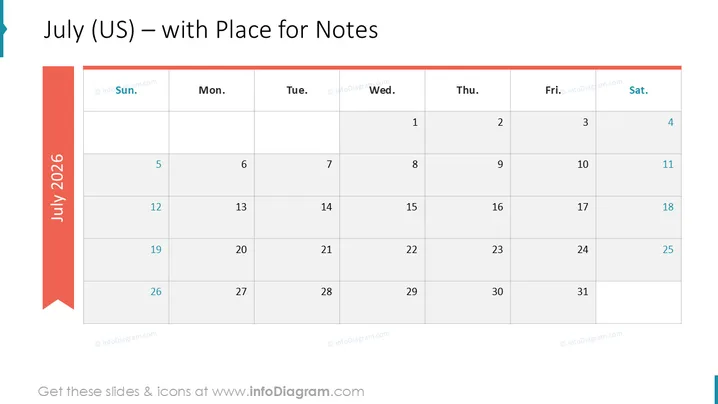
July (US) – with Place for Notes
Slide Content
The slide is titled "July (US) – with Place for Notes" and features a monthly calendar for July 2026 . It's laid out with columns for each day of the week from Sunday to Saturday and rows for each week of the month. Dates are filled in the appropriate squares. The calendar seems ready for annotations or notes to be added under each date, which suggests its use for planning or scheduling purposes. The days are clearly marked to distinguish weekdays from weekends, aiding in quick reference.
Graphical Look
- The slide background is white, creating a clean and minimalistic look.
- At the top-left, there's a large, aqua blue ribbon with the year "2025" written vertically.
- The month "July" is written in a large, bold black font aligned to the left.
- Days of the week are represented in a row at the top of the calendar and are labeled "Sun." through "Sat." in slightly smaller black text.
- Each date is written in a light gray box, which provides space presumably for notes or events.
- The dates and days are organized in a grid-like structure providing clarity and symmetry.
- The left and right borders of the calendar grid are thicker than the internal grid lines, giving a solid frame to the calendar.
- There's a sense of hierarchy in the text, with the largest being the title, followed by days of the week, and then the dates.
The overall look of the slide is modern and professional, with a clear focus on functionality and ease of use. The color accents are minimal, ensuring that the dates and notes remain the focal point.
Use Cases
- For outlining important dates and deadlines in a business project timeline.
- As a tool for scheduling and assigning tasks in team meetings or planning sessions.
- To track milestones and deliverables for a client project during a progress update presentation.
- In personal productivity workshops or time management seminars to illustrate how to effectively plan one's month.
How to Edit
How to edit text & colors

How to expand / shorten diagram

How to Replace Icons in infoDiagram PPT


