
Reviews
Sus gráficos añaden un toque agradable a mis presentaciones y recientemente los usé para una de mis reuniones generales. Su conjunto de herramientas añade profesionalismo a mis diapositivas. En lugar de usar imágenes prediseñadas estándar.
Necesitaba un aspecto fresco para algunas de mis diapositivas. Había intentado encontrar una forma de crear un efecto de pincel, de subrayar, acentuar, añadir algo de color y los marcadores escritos a mano fueron justo lo que necesitaba. Muy fácil de usar, fácil de ajustar el tamaño, cambiar el color. Fue una solución asequible y perfecta, y estoy feliz de recomendarla.
El aspecto nítido y limpio de los gráficos, y el hecho de que me permitiera editar y cambiar fácilmente los colores para que coincidieran con la plantilla fue mi principal razón para comprarlos.
Description
July (EU)
Slide Content
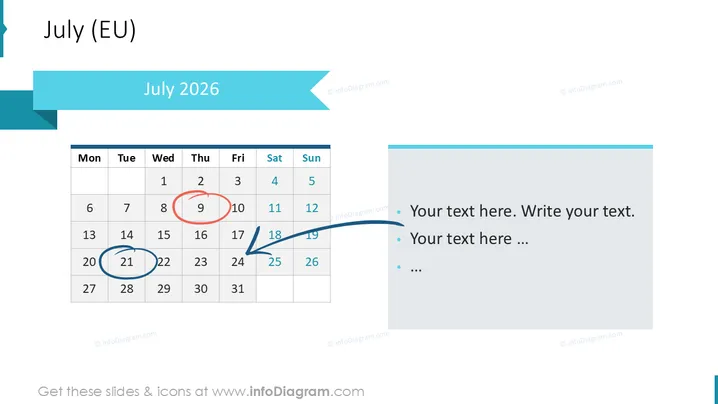
The PowerPoint slide presents a calendar for the month of July 2026 , emphasizing certain dates with blue circles. The calendar is divided into the standard seven columns for the days of the week, with weekends highlighted in a different color to distinguish them from weekdays. Adjacent to the calendar are bullet points for adding text, suggesting space for notes or events corresponding to the highlighted dates on the calendar.
Graphical Look
- The slide background is plain white, providing a clean and uncluttered canvas.
- A cyan-colored header banner contains the slide title "July 2024" in white, bold text.
- A smaller cyan tab on the bottom left of the header mirrors the design, likely for aesthetic balance.
- The calendar has a grid layout, with the top row indicating days of the week, and date numbers placed below.
- Saturdays and Sundays are shaded with a lighter color to differentiate from the weekdays.
- Two dates are circled in blue, drawing attention to these specific days.
- An arrow from one of the circled dates points to a text box on the right, which contains placeholder bullet points.
- The text box has a faint border and a fill color matching the header banner, visually connecting the components of the slide.
The overall appearance of the slide is professional and minimalistic, utilizing a consistent color scheme that highlights important elements without overwhelming the audience.
Use Cases
- Planning and illustrating key dates and deadlines in a business project timeline.
- Outlining company events, holidays, or important meetings in a monthly overview during a team briefing.
- Marking milestones or delivery dates in a product launch plan.
- Showcasing reservation availability, promotions, or special events in a hospitality or sales-related presentation.
How to Edit
How to edit text & colors

How to expand / shorten diagram

How to Replace Icons in infoDiagram PPT


