
Reviews
Your graphics add a nice touch to my presentations and I recently used them for one of my all-hands meetings. Your toolbox adds professionalism to my slides. Instead of using standard clipart.
I needed a fresh look at some of my slides. I've tried to find a way to create a paintbrush effect, to underline, accentuate, add some color and the handwritten markers were just the things. Very easy to use, easy to size, change the color. It was an affordable, perfect solution and I'm happy to recommend it.
The crisp, clean look of the graphics, and the fact that it allowed me to easily edit and change the colors to match the template was my main reason for purchasing them.
Description
July, August (EU)
Slide Content
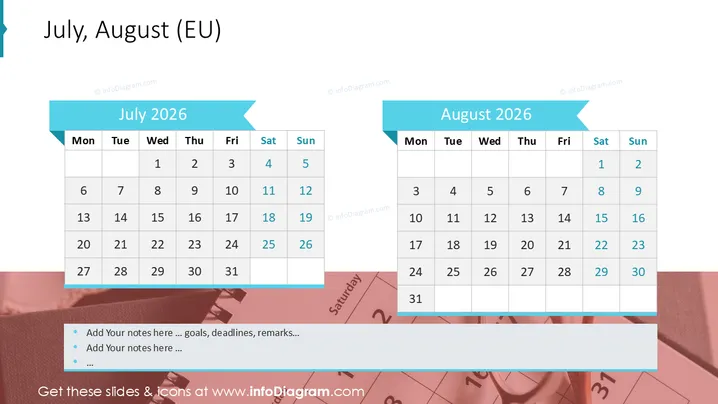
The PowerPoint slide displays two month calendars for July 2026 and August 2026 , suggesting a focus on planning or showcasing relevant dates within these months. Both calendars are presented in a standard grid format, with days of the week labeled from Monday to Sunday. The visual cues such as different colors might indicate important dates or distinctions between the months.
Graphical Look
- The slide has a clean, modern design with a white background.
- At the top, a stylized banner in shades of blue contains the title "July, August (EU)".
- There are two contrasting calendar widgets, one for "July 2025" on the left and one for "August 2025" on the right, each with a blue ribbon representing the month name.
- The calendars are displayed in a traditional grid format, with rows for weeks and columns for days of the week.
- A subtle shadow effect is applied to the calendar widgets, giving them a slightly three-dimensional appearance.
- Days of the week are highlighted in a darker font compared to the numbers of the days, assisting legibility.
- The colors used for the weekends are darker to distinguish them from weekdays.
The overall look of the slide is professional, clear, and easy to understand. The use of blue tones offers a cohesive visual theme, and the simple design focuses attention on the calendar information.
Use Cases
- To schedule and highlight key dates in a business project timeline.
- For presenting availability or vacation planning among team members.
- To outline the timeframe for a marketing campaign or a series of events.
- As a visual aid in a financial report to indicate reporting periods or important fiscal dates.
How to Edit
How to edit text & colors

How to expand / shorten diagram

How to Replace Icons in infoDiagram PPT


