
Reviews
Ihre Grafiken verleihen meinen Präsentationen eine nette Note, und ich habe sie kürzlich für eines meiner All-Hands-Meetings verwendet. Ihre Toolbox verleiht meinen Folien Professionalität, anstatt Standard-Clipart zu verwenden.
Ich brauchte einen neuen Blick auf einige meiner Folien. Ich habe versucht, einen Weg zu finden, einen Pinselschlag-Effekt zu erzielen, um zu unterstreichen, hervorzuheben, Farbe hinzuzufügen, und die handgeschriebenen Markierungen waren genau das Richtige. Sehr einfach zu bedienen, leicht in der Größe zu ändern, die Farbe zu ändern. Es war eine erschwingliche, perfekte Lösung und ich empfehle sie gerne weiter.
Die klare, saubere Optik der Grafiken und die Tatsache, dass ich die Farben leicht bearbeiten und an die Vorlage anpassen konnte, war mein Hauptgrund für den Kauf.
Description
Job Interview Outline Icons – Strategy
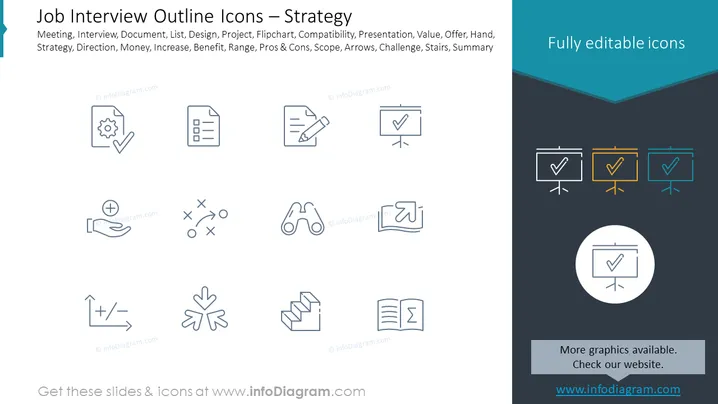
Slide Content: The slide appears to be part of a presentation possibly related to job interviews or business strategies, featuring a collection of outline icons that represent different concepts essential to strategy planning or interview processes. The icons include a settings gear with a check symbol (suggesting configuration or correct setup), a clipboard (indicating documentation or checklists), and a flipchart with a check (representing presentations or completed tasks). Other icons depict concepts such as pros and cons, scope, challenge, and summary, each symbolically representing elements of strategic planning or evaluation criteria in job interviews.
Graphical Look:
- The slide background is split diagonally, with the left side being white and the right side a dark slate color merging into teal at the top corner.
- Ten outlined icons are arranged in a three-row grid on the white portion of the slide, evenly spaced and centered.
- Each icon is paired with a label underneath in a light gray font that is barely legible against the white background.
- A prominent teal banner at the top right corner contains white text that reads "Fully editable icons."
- There is a singular, larger icon within a circular outline situated centrally over where the two background colors meet.
- The graphics are minimalistic, featuring simple lines and basic shapes without any shading or color fill.
The overall look of the slide is clean and modern, utilizing a minimalist design for the icons and a crisp color contrast for visual interest. The white and dark slate sections provide a balanced backdrop for the monochrome icons and the splash of teal adds a professional touch.
Use Cases:
- In a job interview preparation workshop, assisting participants in understanding the key elements of the interview process.
- During a strategic business meeting, as a visual aid to discuss and assign various points of strategy development.
- In human resources or team-building presentations, to outline the steps or skills involved in effective hiring strategies.
- Throughout project management training sessions, to highlight critical concepts for planning and executing projects successfully.
How to Edit
How to edit text & colors

How to expand / shorten diagram

How to Replace Icons in infoDiagram PPT


