
Reviews
Your graphics add a nice touch to my presentations and I recently used them for one of my all-hands meetings. Your toolbox adds professionalism to my slides. Instead of using standard clipart.
I needed a fresh look at some of my slides. I've tried to find a way to create a paintbrush effect, to underline, accentuate, add some color and the handwritten markers were just the things. Very easy to use, easy to size, change the color. It was an affordable, perfect solution and I'm happy to recommend it.
The crisp, clean look of the graphics, and the fact that it allowed me to easily edit and change the colors to match the template was my main reason for purchasing them.
Description
January (US)
Slide Content
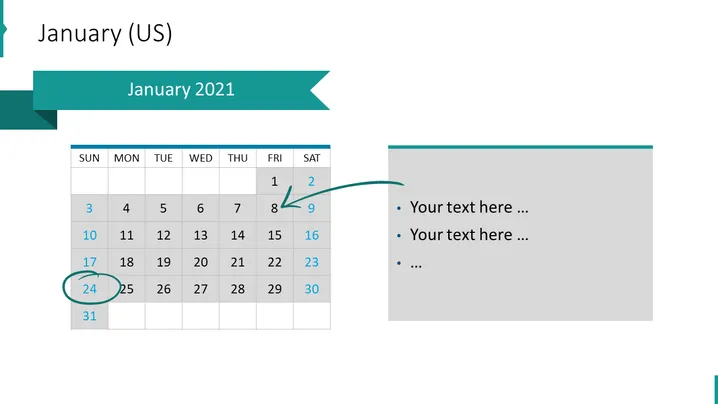
The slide is a visual representation of a calendar for January 2021, with four highlighted dates that correspond to different projects. The dates highlighted are the 5th and 6th for Project 1 (blue), the 7th for Project 2 (orange), and the 26th for Project 3 (purple). There are bullet points with placeholder text adjacent to the calendar, suggesting that these could be notes or details corresponding to the events or projects.
Graphical Look
- The slide has a dominant calendar with a grid layout representing the month of January 2021.
- The days Sunday through Saturday are labeled across the top of the calendar, with dates filled in the grid below.
- Four dates are highlighted in different colors corresponding to various projects, with a color key below the calendar.
- An arrow points to the 8th date from an adjacent text box.
- A circle surrounds the 26th and 27th dates, presumably to draw attention to them.
- To the right of the calendar is a text box containing bullet points with placeholder text, suggesting annotations or comments related to the calendar dates.
- The color palette includes teal, blue, orange, purple, and grey for different elements, contributing to a structured and color-coded appearance.
The visual design is modern and organized, using color coding and shapes to draw attention to specific dates. The use of different geometric shapes, such as squares, a circle, and an arrow, helps to highlight particular areas of the calendar, creating a focus for the viewer.
Use Cases
- Planning and illustrating project timelines during business meetings or presentations.
- Organizing and communicating key dates and milestones to team members.
- Facilitating discussions about resource allocation and deadlines in project management reviews.
- Providing a visual aid for a monthly outlook in company or departmental newsletters.
How to Edit
How to edit text & colors

How to expand / shorten diagram

How to Replace Icons in infoDiagram PPT


