
Reviews
Sus gráficos añaden un toque agradable a mis presentaciones y recientemente los usé para una de mis reuniones generales. Su conjunto de herramientas añade profesionalismo a mis diapositivas. En lugar de usar imágenes prediseñadas estándar.
Necesitaba un aspecto fresco para algunas de mis diapositivas. Había intentado encontrar una forma de crear un efecto de pincel, de subrayar, acentuar, añadir algo de color y los marcadores escritos a mano fueron justo lo que necesitaba. Muy fácil de usar, fácil de ajustar el tamaño, cambiar el color. Fue una solución asequible y perfecta, y estoy feliz de recomendarla.
El aspecto nítido y limpio de los gráficos, y el hecho de que me permitiera editar y cambiar fácilmente los colores para que coincidieran con la plantilla fue mi principal razón para comprarlos.
Description
January
Slide Content
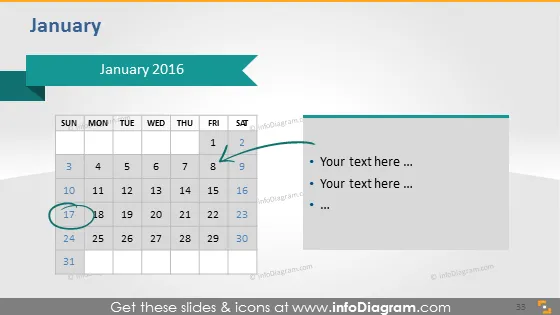
The slide titled "January 2016" appears to depict a calendar for the month of January with a focus on specific dates and corresponding annotations. Elements such as highlighted dates indicate special events or milestones, while accompanying bullet points provide space for detail or commentary on those dates, allowing for context or additional information related to the calendar timeline.
Graphical Look
- A two-tone title bar at the top with the text "January 2016".
- A light blue arrow pointing to the left in the title bar.
- A calendar of January displaying dates in rows and columns.
- Two dates, 1 and 17, are highlighted with circles.
- A teal rectangular callout shape extending from the 17th of January.
- A bulleted list with placeholder text "Your text here ..." to the right of the calendar.
- The slide background is a gradient of white to pale blue.
The overall look of the slide is clean, with a professional color scheme that employs shades of blue. The design is minimalist with a clear focus on the calendar and the associated annotations.
Use Cases
- Outlining key dates and deadlines for a project timeline in a business presentation.
- Indicating company milestones or upcoming events at an internal team meeting.
- Planning and displaying the schedule for a conference or corporate event.
- Highlighting important dates in a marketing plan presentation.
How to Edit
How to edit text & colors

How to expand / shorten diagram

How to Replace Icons in infoDiagram PPT


