
Reviews
Ihre Grafiken verleihen meinen Präsentationen eine nette Note, und ich habe sie kürzlich für eines meiner All-Hands-Meetings verwendet. Ihre Toolbox verleiht meinen Folien Professionalität, anstatt Standard-Clipart zu verwenden.
Ich brauchte einen neuen Blick auf einige meiner Folien. Ich habe versucht, einen Weg zu finden, einen Pinselschlag-Effekt zu erzielen, um zu unterstreichen, hervorzuheben, Farbe hinzuzufügen, und die handgeschriebenen Markierungen waren genau das Richtige. Sehr einfach zu bedienen, leicht in der Größe zu ändern, die Farbe zu ändern. Es war eine erschwingliche, perfekte Lösung und ich empfehle sie gerne weiter.
Die klare, saubere Optik der Grafiken und die Tatsache, dass ich die Farben leicht bearbeiten und an die Vorlage anpassen konnte, war mein Hauptgrund für den Kauf.
Description
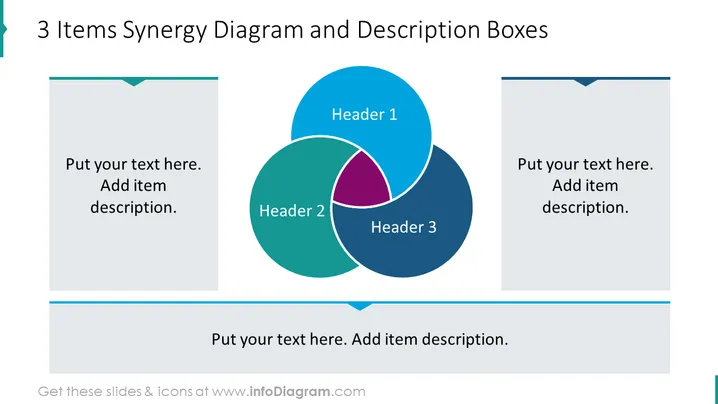
3 Items Synergy Diagram and Description Boxes
Slide Content
The slide presents a concept through a Venn diagram denoting synergy between three items, each represented by a colored circle with a header: Header 1 (blue), Header 2 (green), and Header 3 (dark blue). The overlapping area in the center, highlighted in pink, suggests a shared synergy or commonality among the three items. Adjacent to each circle are text boxes with prompts to "Put your text here. Add item description.", indicating that a detailed explanation of each header's concept should be provided in these designated areas.
Graphical Look
- The slide's background is white, providing a clean and uncluttered canvas for the content.
- There is a Venn diagram composed of three overlapping circles in the center, with shades of blue and green.
- Each circle in the Venn diagram contains a white header region labeled "Header 1," "Header 2," and "Header 3."
- The intersection of the circles is colored in a contrasting pink, highlighting the area of synergy.
- To the left and right of the Venn diagram are grey, rectangular vertical text boxes with matching pointed flap designs at the top.
- At the top of the slide, the title is presented in dark text against a transparent overlay that spans the width of the slide.
The slide has a modern and professional look, using a color scheme that is both vibrant and easy on the eyes. The Venn diagram is clearly the focal point, with textual elements meant to provide explanatory content for the graphical representation.
Use Cases
- To illustrate the common goals or strategic overlap between different departments in a company.
- In a marketing presentation to show how multiple products or services complement each other.
- During a project kickoff meeting to highlight the interdependencies among various project components.
- In an educational setting to explain the concept of synergy in collaborative group work or interdisciplinary studies.
How to Edit
How to edit text & colors

How to expand / shorten diagram

How to Replace Icons in infoDiagram PPT


