
Reviews
Sus gráficos añaden un toque agradable a mis presentaciones y recientemente los usé para una de mis reuniones generales. Su conjunto de herramientas añade profesionalismo a mis diapositivas. En lugar de usar imágenes prediseñadas estándar.
Necesitaba un aspecto fresco para algunas de mis diapositivas. Había intentado encontrar una forma de crear un efecto de pincel, de subrayar, acentuar, añadir algo de color y los marcadores escritos a mano fueron justo lo que necesitaba. Muy fácil de usar, fácil de ajustar el tamaño, cambiar el color. Fue una solución asequible y perfecta, y estoy feliz de recomendarla.
El aspecto nítido y limpio de los gráficos, y el hecho de que me permitiera editar y cambiar fácilmente los colores para que coincidieran con la plantilla fue mi principal razón para comprarlos.
Description
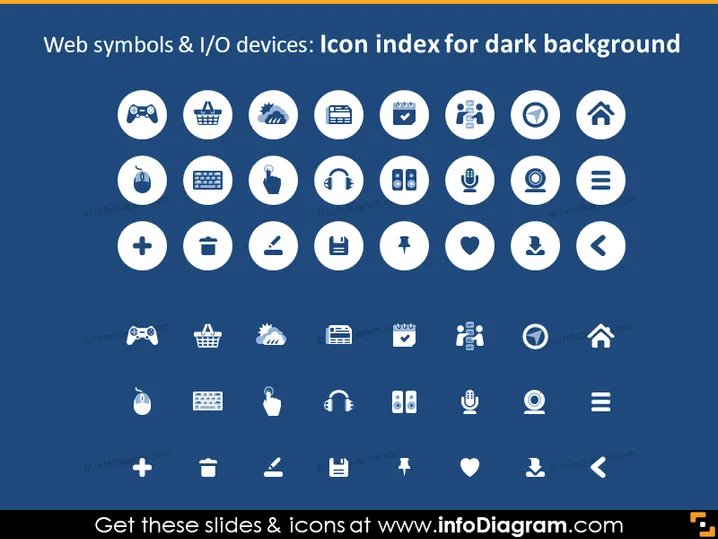
Web symbols & I/O devices: Icon index for dark background
Slide Content
The slide seems to be a compilation of various web symbols and input/output (I/O) device icons designed for visibility against a dark background. These icons represent common elements found in web design and technology interfaces. Each encircled icon could signify functions or tools like settings, user profiles, games, shopping, notifications, and connectivity, to name a few.
Graphical Look
- The slide background is a solid dark blue.
- There are 35 circle-shaped graphics with a white border, each containing a unique white icon.
- The icons include various symbols for technology and internet-related functions, such as a game controller, shopping basket, gear (settings), download arrow, user group, and heart (like), among others.
- The circular graphics are arranged in seven rows, with five icons per row.
- There is a consistent visual style across all icons, with a white fill color and line icon design.
- Each circular icon has a subtle shadow effect.
The overall look of the slide is clean and modern, with the white icons contrasting sharply against the dark background, which enhances visual clarity. The uniform circular shapes and consistent icon style provide a professional and organized appearance.
Use Cases
- To visually enhance web design or technology-themed PowerPoint presentations.
- As a reference for developers or designers during brainstorming sessions about user interface elements.
- In training materials to help familiarize users with various symbols and functionalities found in software or websites.
- As part of a digital style guide to establish consistency in iconography for a brand's digital assets.
How to Edit
How to edit text & colors

How to expand / shorten diagram

How to Replace Icons in infoDiagram PPT


