

Your graphics add a nice touch to my presentations and I recently used them for one of my all-hands meetings. Your toolbox adds professionalism to my slides. Instead of using standard clipart.
Claude Jones, Director of Engineer, @Walmartlabs, USA

Your graphics add a nice touch to my presentations and I recently used them for one of my all-hands meetings. Your toolbox adds professionalism to my slides. Instead of using standard clipart.
Claude Jones, Director of Engineer, @Walmartlabs, USA
I needed a fresh look at some of my slides. I've tried to find a way to create a paintbrush effect, to underline, accentuate, add some color and the handwritten markers were just the things. Very easy to use, easy to size, change the color. It was an affordable, perfect solution and I'm happy to recommend it.
Anonymous, US
The crisp, clean look of the graphics, and the fact that it allowed me to easily edit and change the colors to match the template was my main reason for purchasing them.
Brandie Jenkins, E-learning Developer, USA
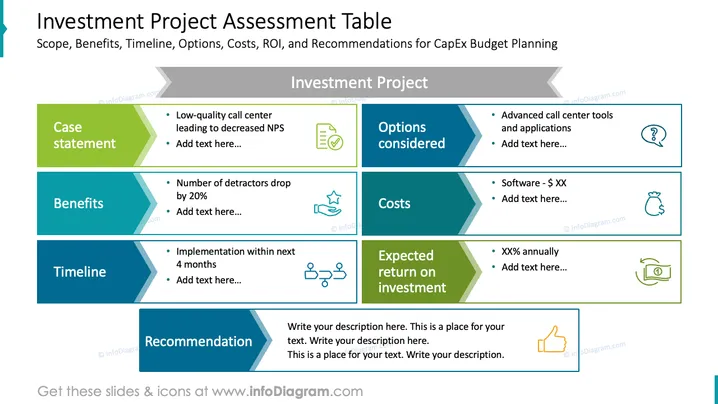
The slide is a structured presentation of an investment project's various aspects. The "Case statement" indicates a low-quality call center leading to decreased Net Promoter Score (NPS). The "Benefits" detail that the number of detractors will drop by 20%. The "Timeline" suggests implementation within the next 4 months. "Options considered" cover advanced call center tools and applications. "Costs" list software expenses. "Expected return on investment" displays an annual percentage value with room for additional information. Lastly, there's a "Recommendation" section for further textual content.
The overall look of the slide is clean and business-like, with an efficient use of space to convey key aspects of an investment project. The icons and color-coding facilitate quick comprehension of the different sections.



