
Reviews
Sus gráficos añaden un toque agradable a mis presentaciones y recientemente los usé para una de mis reuniones generales. Su conjunto de herramientas añade profesionalismo a mis diapositivas. En lugar de usar imágenes prediseñadas estándar.
Necesitaba un aspecto fresco para algunas de mis diapositivas. Había intentado encontrar una forma de crear un efecto de pincel, de subrayar, acentuar, añadir algo de color y los marcadores escritos a mano fueron justo lo que necesitaba. Muy fácil de usar, fácil de ajustar el tamaño, cambiar el color. Fue una solución asequible y perfecta, y estoy feliz de recomendarla.
El aspecto nítido y limpio de los gráficos, y el hecho de que me permitiera editar y cambiar fácilmente los colores para que coincidieran con la plantilla fue mi principal razón para comprarlos.
Description
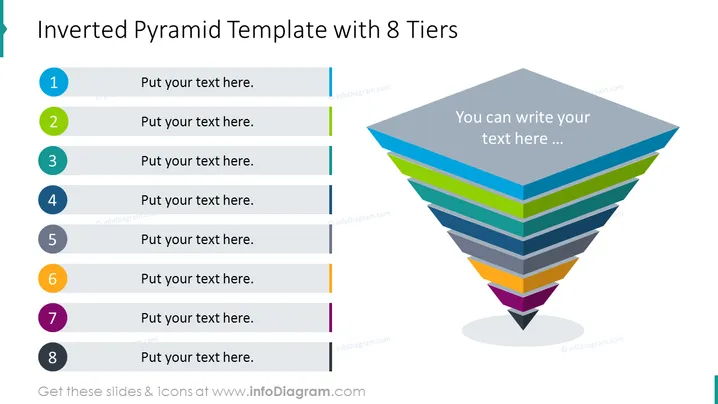
Inverted Pyramid Template with 8 Tiers
Slide Content
The slide presents an "Inverted Pyramid Template with 8 Tiers", designed to categorize and prioritize information. The left side lists tiers numbered from 1 to 8 with each having a space for text. The numerical order of the tiers suggests a ranking or sequencing, where Tier 1 represents the topmost priority or category, followed by Tier 2, and so on, down to Tier 8, likely indicating the least priority.
Graphical Look
- A large, colorful inverted pyramid chart on the right side, with eight distinct levels, each a different color.
- The chart colors grow brighter towards the bottom, representing a logical or hierarchical flow.
- Next to the pyramid, there is an area labeled "You can write your text here ...", indicating space for additional details.
- On the left side, there are numbered circles from 1 to 8, corresponding to the pyramid tiers, with gray horizontal lines extending rightward.
- Each line has a text placeholder where specific information related to each tier can be input.
- The circles feature a flat design with a slight gradient and shadow, implying depth.
The slide employs a clean, professional design with contrasting colors to delineate different sections, making it visually attractive and easy to follow. The inverted pyramid serves as a focal point to emphasize the structure of the information.
Use Cases
- To present a hierarchy of concepts or priorities in strategic business meetings.
- For structuring a marketing plan, showing different campaign elements from most to least significant.
- When explaining project stages or tasks in project management, displaying the sequence from initial to final steps.
- In sales presentations to categorize product features or service tiers from premium to basic.
How to Edit
How to edit text & colors

How to expand / shorten diagram

How to Replace Icons in infoDiagram PPT


