
Reviews
Your graphics add a nice touch to my presentations and I recently used them for one of my all-hands meetings. Your toolbox adds professionalism to my slides. Instead of using standard clipart.
I needed a fresh look at some of my slides. I've tried to find a way to create a paintbrush effect, to underline, accentuate, add some color and the handwritten markers were just the things. Very easy to use, easy to size, change the color. It was an affordable, perfect solution and I'm happy to recommend it.
The crisp, clean look of the graphics, and the fact that it allowed me to easily edit and change the colors to match the template was my main reason for purchasing them.
Description
Interpersonal Communication Icons
Slide Content
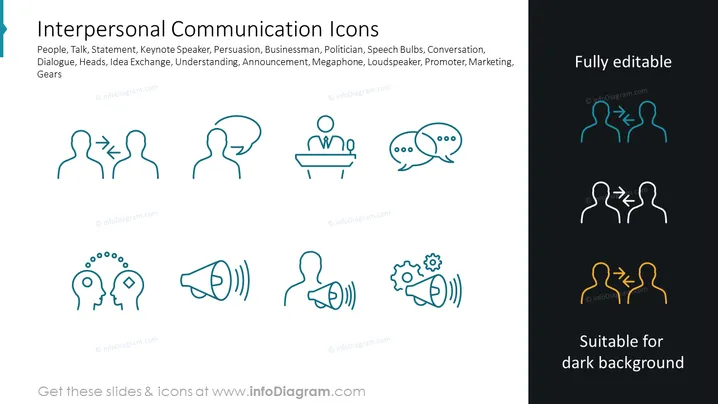
The PowerPoint slide is titled "Interpersonal Communication Icons" and showcases various icons representing different aspects of communication. These include profiles with speech bubbles indicating dialogue, a figure giving a speech represents public speaking, conversing heads suggest a conversation, a person with gear and speech bubble symbols for idea exchange, and a megaphone for announcements or marketing. Each icon succinctly visualizes a communication concept, from private talks to public address systems.
Graphical Look
- The slide background is divided between a light and dark section.
- Eight icons are arranged in two rows and are all designed in a thin-line style.
- The icon colors vary, with the top row in a single shade of teal and the bottom row featuring icons in teal, dark blue, and gold, each specifically stated to be suitable for different background colors.
- The slide title is displayed in a large, bold font at the top left.
- Each icon correlates with a specific concept, such as dialogue, public speaking, conversation, idea exchange, and announcements.
- Three icons are highlighted with a text note on the right, pointing out that they are editable and suitable for dark backgrounds.
The slide sports a clean and modern design with icons that are minimalist and easily interpretable. The variation in icon colors suggests adaptability for different presentation backgrounds.
Use Cases
- To visually support points in a presentation about communication strategies in business or marketing.
- As part of an educational slide deck teaching the elements of effective interpersonal communication.
- In workshops or seminars focused on improving team communication and collaboration.
- For enhancing understanding in HR presentations discussing the importance of communication in organizational culture.
How to Edit
How to edit text & colors

How to expand / shorten diagram

How to Replace Icons in infoDiagram PPT


