
Reviews
Ihre Grafiken verleihen meinen Präsentationen eine nette Note, und ich habe sie kürzlich für eines meiner All-Hands-Meetings verwendet. Ihre Toolbox verleiht meinen Folien Professionalität, anstatt Standard-Clipart zu verwenden.
Ich brauchte einen neuen Blick auf einige meiner Folien. Ich habe versucht, einen Weg zu finden, einen Pinselschlag-Effekt zu erzielen, um zu unterstreichen, hervorzuheben, Farbe hinzuzufügen, und die handgeschriebenen Markierungen waren genau das Richtige. Sehr einfach zu bedienen, leicht in der Größe zu ändern, die Farbe zu ändern. Es war eine erschwingliche, perfekte Lösung und ich empfehle sie gerne weiter.
Die klare, saubere Optik der Grafiken und die Tatsache, dass ich die Farben leicht bearbeiten und an die Vorlage anpassen konnte, war mein Hauptgrund für den Kauf.
Description
Interlinked Vertical Replacement Switch Arrows Chart
Slide Content
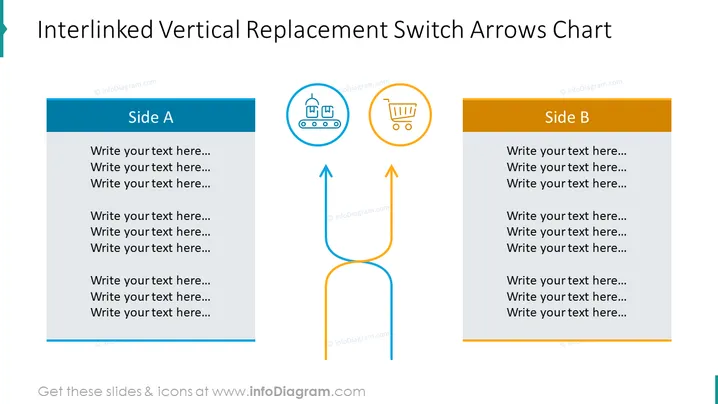
The slide presents a concept called "Interlinked Vertical Replacement Switch Arrows Chart," which seems to be a visual tool for showing a two-way interaction or process between two entities, labeled 'Side A' and 'Side B.' Each side has a dedicated space for text, presumably to describe the processes, steps, or elements involved in each entity or stage. The interlinking arrows suggest a swap, exchange, or relationship between the sides, emphasizing a dynamic connection rather than a static one.
Graphical Look
- The slide features a mainly blue and orange color scheme.
- Two large rectangles, one blue and one orange, labeled 'Side A' and 'Side B', respectively.
- Each rectangle contains placeholder text that reads "Write your text here..." multiple times.
- Between the rectangles, two curved arrows, one blue and one orange, create a loop, indicating a reciprocal relationship.
- Above the arrows, two circular icons—one picturing factory conveyors in blue, and the other a shopping cart in orange—are visually associated with each side.
- The background is white, which accentuates the colors of the graphical elements.
The overall look is clean and business-like, with a good contrast between elements. The design is straightforward and functionally serves to direct the viewer's attention to the relationship between Side A and Side B.
Use Cases
- To compare and contrast different business strategies or approaches.
- In a process flow presentation to illustrate the interaction between two stages or departments.
- For demonstrating a feedback loop in a service or product lifecycle.
- To visualize the exchange of resources or information in a supply chain presentation.
How to Edit
How to edit text & colors

How to expand / shorten diagram

How to Replace Icons in infoDiagram PPT


