
Reviews
Sus gráficos añaden un toque agradable a mis presentaciones y recientemente los usé para una de mis reuniones generales. Su conjunto de herramientas añade profesionalismo a mis diapositivas. En lugar de usar imágenes prediseñadas estándar.
Necesitaba un aspecto fresco para algunas de mis diapositivas. Había intentado encontrar una forma de crear un efecto de pincel, de subrayar, acentuar, añadir algo de color y los marcadores escritos a mano fueron justo lo que necesitaba. Muy fácil de usar, fácil de ajustar el tamaño, cambiar el color. Fue una solución asequible y perfecta, y estoy feliz de recomendarla.
El aspecto nítido y limpio de los gráficos, y el hecho de que me permitiera editar y cambiar fácilmente los colores para que coincidieran con la plantilla fue mi principal razón para comprarlos.
Description
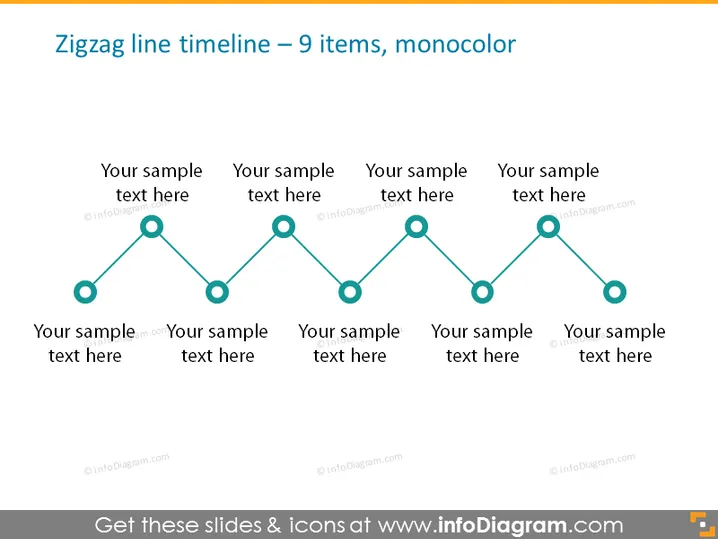
Zigzag line timeline – 9 items, monocolor
Slide Content
The slide presents a timeline with a zigzag design, consisting of 9 items in a monochromatic color scheme. Each point on the timeline seems to represent a step or stage, and it's accompanied by a placeholder text saying “Your sample text here,” indicating where to insert specific descriptions about each step. This arrangement can be used to display a sequence of events, processes, or milestones in a simplified and aesthetic way.
Graphical Look
- The slide background is plain and light.
- A zigzag line moves horizontally across the slide, representing a timeline.
- Circles are evenly placed along the line, indicating individual points in time.
- Each circle is connected by a straight line segment, creating the zigzag pattern.
- Text placeholders accompany each circle, centered below or above these points.
- The text and circles are all the same color, showing a monochromatic design.
The slide has a clean and modern look, with a clear focus on the timeline. The monochromatic color scheme and simple geometry contribute to a professional and easy-to-read appearance.
Use Cases
- To present project milestones and their corresponding descriptions during a business update meeting.
- For illustrating a historical timeline of company events in a corporate presentation.
- To display a process flow with sequential steps during a training or educational session.
- Ideal for visualizing a product development lifecycle in a pitch to investors or stakeholders.
How to Edit
How to edit text & colors

How to expand / shorten diagram

How to Replace Icons in infoDiagram PPT


