
Reviews
Sus gráficos añaden un toque agradable a mis presentaciones y recientemente los usé para una de mis reuniones generales. Su conjunto de herramientas añade profesionalismo a mis diapositivas. En lugar de usar imágenes prediseñadas estándar.
Necesitaba un aspecto fresco para algunas de mis diapositivas. Había intentado encontrar una forma de crear un efecto de pincel, de subrayar, acentuar, añadir algo de color y los marcadores escritos a mano fueron justo lo que necesitaba. Muy fácil de usar, fácil de ajustar el tamaño, cambiar el color. Fue una solución asequible y perfecta, y estoy feliz de recomendarla.
El aspecto nítido y limpio de los gráficos, y el hecho de que me permitiera editar y cambiar fácilmente los colores para que coincidieran con la plantilla fue mi principal razón para comprarlos.
Description
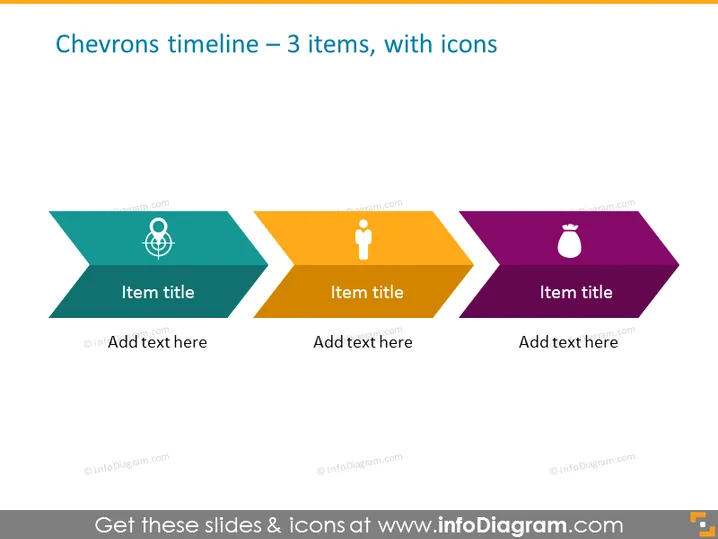
Chevrons timeline — 3 items, with icons
Slide Content
The slide presents a simple chevron-shaped timeline featuring three distinct stages or events indicated by chevrons in different colors: teal, orange, and purple. Each chevron contains an icon and placeholders for an item title and additional text. The left chevron features a globe icon, suggesting a global or international aspect. The central chevron displays a user or person icon, which could represent a user-focused or demographic stage. The right chevron shows a spray bottle icon, possibly alluding to a cleaning or maintenance phase.
Graphical Look
- Three chevron shapes aligned horizontally to form a timeline, each chevron pointing to the next.
- The chevrons are in teal, orange, and purple colors, creating a visually appealing gradient.
- Inside each chevron, there is a white icon at the top – a globe, a person, and a spray bottle, respectively.
- Placeholders for text are present in each chevron: 'Item title' is positioned centrally, and 'Add text here' is located at the bottom.
The slide has a modern and minimalist design, using clean lines and a clear structure. The contrast between the colorful chevrons and the white text and icons makes the slide easy to read and visually engaging.
Use Cases
- Showcasing the phases of a project or process during business strategy presentations.
- Illustrating steps in a user journey or customer lifecycle in marketing meetings.
- Outlining a product development timeline, with each chevron representing a milestone.
- Summarizing historical events or future projections in a straightforward visual manner for educational or planning purposes.
How to Edit
How to edit text & colors

How to expand / shorten diagram

How to Replace Icons in infoDiagram PPT


