
Reviews
Sus gráficos añaden un toque agradable a mis presentaciones y recientemente los usé para una de mis reuniones generales. Su conjunto de herramientas añade profesionalismo a mis diapositivas. En lugar de usar imágenes prediseñadas estándar.
Necesitaba un aspecto fresco para algunas de mis diapositivas. Había intentado encontrar una forma de crear un efecto de pincel, de subrayar, acentuar, añadir algo de color y los marcadores escritos a mano fueron justo lo que necesitaba. Muy fácil de usar, fácil de ajustar el tamaño, cambiar el color. Fue una solución asequible y perfecta, y estoy feliz de recomendarla.
El aspecto nítido y limpio de los gráficos, y el hecho de que me permitiera editar y cambiar fácilmente los colores para que coincidieran con la plantilla fue mi principal razón para comprarlos.
Description
Industry, New Technology Icons
Slide Content
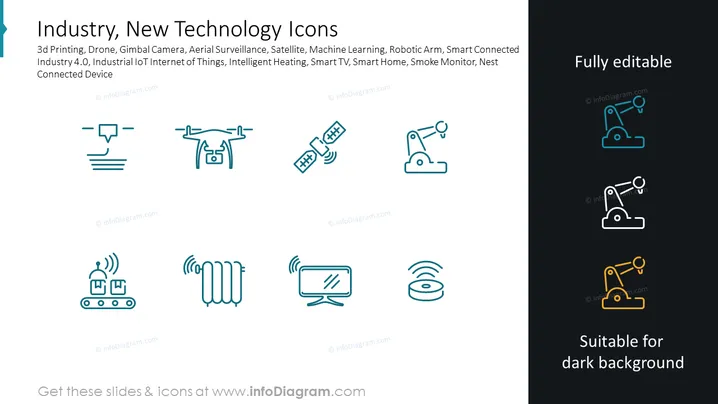
The slide showcases various icons representing new technologies impacting Industry 4.0 and IoT. These include 3D Printing, symbolizing the creation of three-dimensional objects; Drone technology for unmanned aerial operations; Gimbal Camera for stabilized imaging; Aerial Surveillance for security or observation from above; Satellite communication; Machine Learning for intelligent data analysis; Robotic Arm for automated manufacturing; Smart Connected Devices for enhanced interoperability; Intelligent Heating, Smart TV, Smart Home, Smoke Monitor, and Nest Connected Device for advanced home automation, safety, and comfort.
Graphical Look
- The slide background is dark, providing high contrast for the icons and text.
- There are nine icons arranged in a 3x3 grid pattern, with each icon representing a different technology.
- The icons are minimalistic and use two tones: white and teal, with the exception of the bottom right icon which uses three tones: white, teal, and yellow.
- Each icon is accompanied by a transmission signal graphic, which suggests connectivity or wireless technology.
- The same teal shade is used for the slide title and other text elements, maintaining a cohesive color scheme.
- The text on the slide is aligned to the left and is presented in two colors: white for the title and teal for the descriptive list.
- There's a prominent call-out box on the right side stating "Fully editable" and a small emblem below, indicating it is "Suitable for dark background".
The slide is clean and modern with a professional style. The use of a limited color palette and simple icons results in an uncluttered and easy-to-read presentation.
Use Cases
- Presenting new technological advancements in a company-wide meeting to showcase upcoming trends.
- Outlining the components of a high-tech project proposal to potential investors or stakeholders.
- Integrating into an educational lecture to highlight the elements of Industry 4.0 and the Internet of Things.
- Using as a visual aid in a trade show or convention to quickly communicate the focus of a tech company's products or innovations.
How to Edit
How to edit text & colors

How to expand / shorten diagram

How to Replace Icons in infoDiagram PPT


