
Reviews
Sus gráficos añaden un toque agradable a mis presentaciones y recientemente los usé para una de mis reuniones generales. Su conjunto de herramientas añade profesionalismo a mis diapositivas. En lugar de usar imágenes prediseñadas estándar.
Necesitaba un aspecto fresco para algunas de mis diapositivas. Había intentado encontrar una forma de crear un efecto de pincel, de subrayar, acentuar, añadir algo de color y los marcadores escritos a mano fueron justo lo que necesitaba. Muy fácil de usar, fácil de ajustar el tamaño, cambiar el color. Fue una solución asequible y perfecta, y estoy feliz de recomendarla.
El aspecto nítido y limpio de los gráficos, y el hecho de que me permitiera editar y cambiar fácilmente los colores para que coincidieran con la plantilla fue mi principal razón para comprarlos.
Description
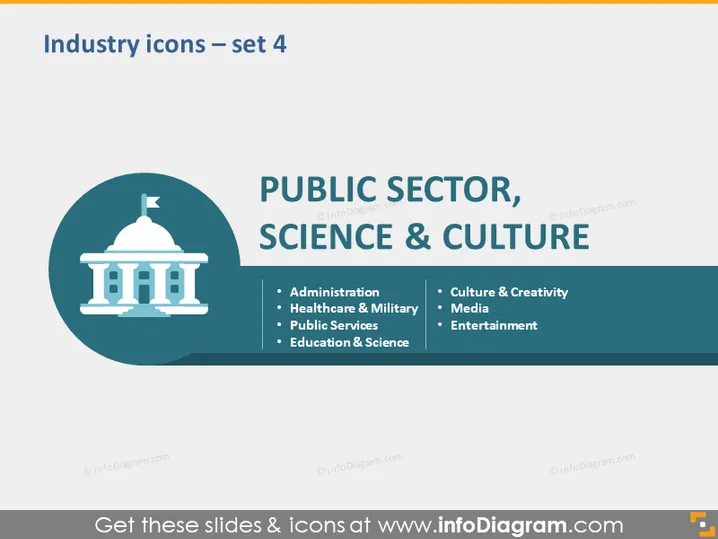
Industry icons – set 4
Slide Content
This PowerPoint slide is titled "Industry icons – set 4" and is about various sectors including the public sector, science, and culture. The slide contains three categories with bullet points under each: "Administration," "Healthcare & Military," and "Public Services" which likely involve government operation, health and defense services, and utilities respectively, under "PUBLIC SECTOR." The "SCIENCE & CULTURE" section lists "Education & Science" signifying teaching and research, and "Culture & Creativity," "Media," and "Entertainment" suggesting art, news, and leisure related fields.
Graphical Look
- The slide background is colored in a dark blue tone.
- A large graphic of a government building icon is centered within a circle with a teal background.
- The text "PUBLIC SECTOR," "SCIENCE & CULTURE" uses large, bold orange font.
- Bullet points are listed in two columns under the headers with white font color.
- A vertical line separates the two columns of text.
- The text and graphics are arranged symmetrically on the slide.
The slide has a clean, professional design with a good color contrast between the dark background and the white text. The use of a government building icon and differentiating colors for titles and content helps in quickly identifying the topic areas of the slide.
Use Cases
- For a presentation outlining the different industries a company operates in or provides services to.
- In informational settings such as educational lectures or workshops where participants learn about public sector operations and cultural institutions.
- As part of a proposal to highlight potential areas for investment or collaboration across different sectors.
- During strategic planning sessions to evaluate or categorize a business's engagement with various industry sectors.
How to Edit
How to edit text & colors

How to expand / shorten diagram

How to Replace Icons in infoDiagram PPT


