
Reviews
Sus gráficos añaden un toque agradable a mis presentaciones y recientemente los usé para una de mis reuniones generales. Su conjunto de herramientas añade profesionalismo a mis diapositivas. En lugar de usar imágenes prediseñadas estándar.
Necesitaba un aspecto fresco para algunas de mis diapositivas. Había intentado encontrar una forma de crear un efecto de pincel, de subrayar, acentuar, añadir algo de color y los marcadores escritos a mano fueron justo lo que necesitaba. Muy fácil de usar, fácil de ajustar el tamaño, cambiar el color. Fue una solución asequible y perfecta, y estoy feliz de recomendarla.
El aspecto nítido y limpio de los gráficos, y el hecho de que me permitiera editar y cambiar fácilmente los colores para que coincidieran con la plantilla fue mi principal razón para comprarlos.
Description
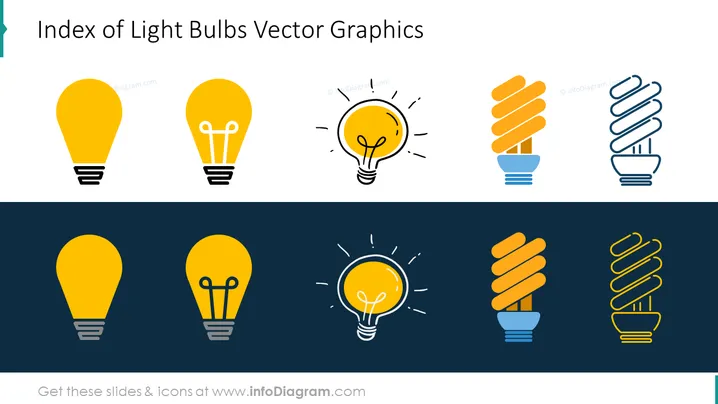
Index of Light Bulbs Vector Graphics
Slide Content
This slide presents a selection of six light bulb vector graphics, likely to be used for symbolic representation in presentations. The bulbs are depicted in two styles—solid and outlined. The solid bulbs suggest practicality or currently active ideas, while the outlined icons could represent concepts or ideas that are either potential or not yet fully realized. Each icon serves as a visual metaphor, potentially denoting ideas, innovation, or energy efficiency within a presentation.
Graphical Look
- The slide background is divided into two horizontal sections, white on the top and dark blue on the bottom.
- There are six light bulb icons, evenly distributed in two rows; the top row icons are on a white background, the bottom row on dark blue.
- The first and fourth icons depict a standard light bulb in yellow with a solid fill.
- The second and fifth icons feature an incandescent bulb design with yellow fill and radiating lines, indicating it is turned on or representing an active idea.
- The third and sixth icons are fluorescent spiral bulb designs, depicted once with a solid yellow fill and once with a white outline against the blue background.
- All the icons have a uniform style with clean lines and simple shapes, likely indicating clarity of concept.
- Each icon is encased in a subtle shadow, giving a slight sense of depth.
The slide has a minimalist design with a contrasting color scheme that draws attention to the icons. The straightforward layout focuses completely on the light bulb graphics without any additional textual information, making the icons the centerpiece of the design.
Use Cases
- To represent different ideas or concepts in a business presentation, with each light bulb corresponding to a specific point or topic.
- As part of a brainstorming session slide deck to visually organize thoughts or to show the progression from idea generation to concept implementation.
- In an innovation-themed presentation to symbolize inspiration, bright ideas, and creativity.
- When discussing energy-related topics, such as energy efficiency or sustainable solutions, where different bulbs could represent various technologies or approaches.
How to Edit
How to edit text & colors

How to expand / shorten diagram

How to Replace Icons in infoDiagram PPT


