
Reviews
Your slides are my 'secret sauce' when it comes to visualising my ideas to clients. I'm saving so much time.
InfoDiagram has been a wonderful resource since I found the product site a few years ago.
Your slides often generate good comments and ideas from my team that improve the final slides.
Description
Icons: Sticky Notes & Calendar Icons
Slide Content
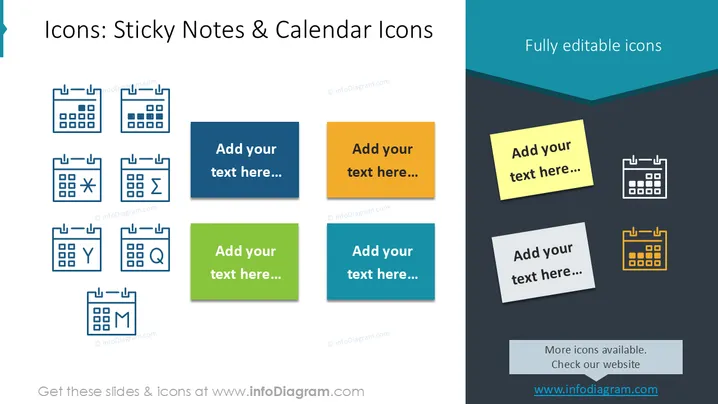
The PowerPoint slide provides a collection of symbols representing sticky notes and calendar icons, each paired with a text placeholder. The sticky notes are visual representations of quick notes or reminders commonly used in an office or personal environment for memory aids. The calendar icons include variations with different symbols such as a star, exclamation mark, magnifying glass, and others, indicating specific types of events or actions like important dates, searches, or notifications.
Graphical Look
- The slide background is white and split diagonally with a darker shade at the top right corner.
- Several calendar icons with different symbols on each (star, exclamation mark, magnifying glass, etc.) are aligned in a grid layout on the left side.
- Colored sticky note icons with text placeholders are positioned on the right side, with each note featuring a distinct color (blue, orange, green, teal).
- A highlighted note in yellow is placed over the shaded area, suggesting emphasis on that particular item.
- The calendar icons on the right are depicted in a contrasting white and yellow color scheme against the dark background.
The slide has a clean, professional look with a balanced mix of graphical icons and text placeholders. The contrasting colors and diagonal split in the background help in distinguishing between different sections.
Use Cases
- To highlight key dates and events in a project timeline during a presentation.
- For visually organizing tasks or important points in a team meeting or workshop.
- To enhance visual engagement in an educational presentation covering time management or planning.
- In marketing or sales pitches to visually represent launch dates, offer periods, or campaign timelines.
How to Edit
How to edit text & colors

How to expand / shorten diagram

How to Replace Icons in infoDiagram PPT


