Reviews
Your graphics add a nice touch to my presentations and I recently used them for one of my all-hands meetings. Your toolbox adds professionalism to my slides. Instead of using standard clipart.
I needed a fresh look at some of my slides. I've tried to find a way to create a paintbrush effect, to underline, accentuate, add some color and the handwritten markers were just the things. Very easy to use, easy to size, change the color. It was an affordable, perfect solution and I'm happy to recommend it.
The crisp, clean look of the graphics, and the fact that it allowed me to easily edit and change the colors to match the template was my main reason for purchasing them.
Description
Icons: Sticky Notes & Calendar Icons
Slide Content
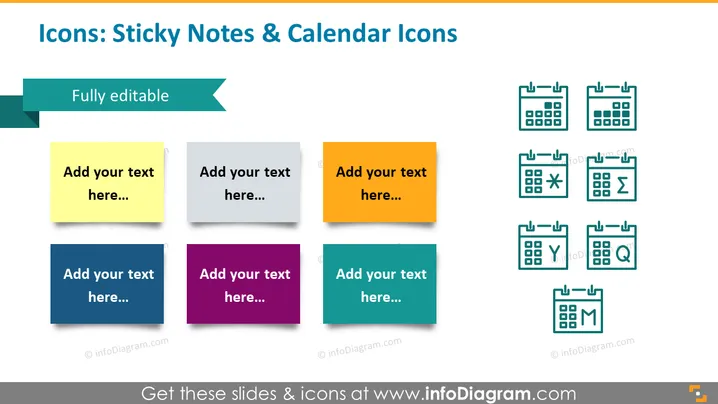
This PowerPoint slide is about icons representing sticky notes and calendar icons. There are six colored sticky note icons, each with a placeholder text saying "Add your text here..." which implies customization for various presentation needs. These sticky notes are colored yellow, grey, orange, blue, purple, and teal, providing a variety of options. Additionally, there are eight calendar icons with different symbols inside them, such as a cross, sum sign, greater/less than, a check mark, a magnifying glass, and the letters Y and M. These symbols could represent tasks like cancellation, calculation, evaluation, confirmation, search, and time-specific notations or deadlines.
Graphical Look
- The slide has a clean, modern design with a white background.
- There are six colorful sticky note icons arranged in two rows on the left side of the slide.
- Each sticky note features a drop shadow, giving it a slightly three-dimensional appearance.
- Eight calendar icons are displayed in two rows on the right, with simple line art style and teal color.
- A decorative turquoise banner runs across the top left corner with the text "Fully editable" indicating that the content can be modified.
The slide as a whole uses a balanced layout with clear division between the sticky note icons and calendar icons. The color scheme is diverse yet harmonious, providing visual interest without being overwhelming.
Use Cases
- To outline key tasks and deadlines in project management presentations.
- In planning sessions to mark important dates and milestones.
- During strategy meetings for assigning responsibilities and action items.
- As a visual aid for workshops or seminars to discuss time management and organization.
How to Edit
How to edit text & colors

How to expand / shorten diagram

How to Replace Icons in infoDiagram PPT



