
Reviews
Sus gráficos añaden un toque agradable a mis presentaciones y recientemente los usé para una de mis reuniones generales. Su conjunto de herramientas añade profesionalismo a mis diapositivas. En lugar de usar imágenes prediseñadas estándar.
Necesitaba un aspecto fresco para algunas de mis diapositivas. Había intentado encontrar una forma de crear un efecto de pincel, de subrayar, acentuar, añadir algo de color y los marcadores escritos a mano fueron justo lo que necesitaba. Muy fácil de usar, fácil de ajustar el tamaño, cambiar el color. Fue una solución asequible y perfecta, y estoy feliz de recomendarla.
El aspecto nítido y limpio de los gráficos, y el hecho de que me permitiera editar y cambiar fácilmente los colores para que coincidieran con la plantilla fue mi principal razón para comprarlos.
Description
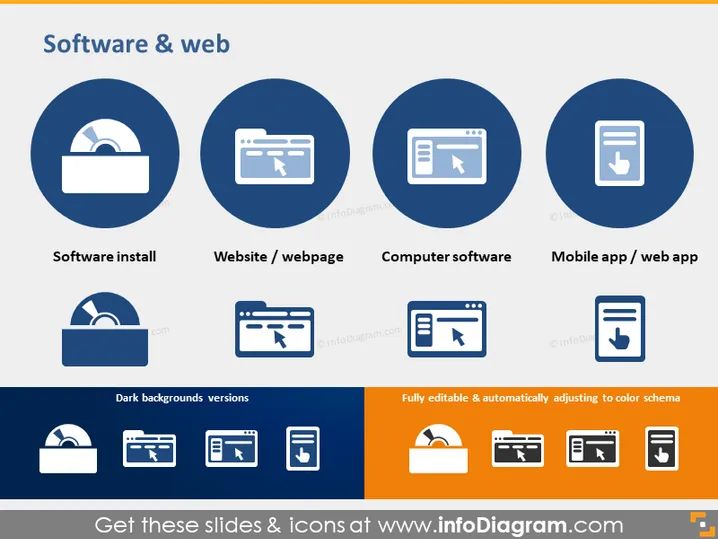
Software & web
Slide Content
The PowerPoint slide is titled "Software & web" and contains icons representing four different digital concepts: Software Install, Website/Webpage, Computer Software, and Mobile App/Web App. Each concept is supplemented with a simple white icon on a blue circular background, with labels underneath to clarify the concept. Software Install conveys the setup or initialization of software, Website/Webpage suggests online platforms for content, Computer Software symbolizes traditional desktop applications, and Mobile App/Web App represents applications for mobile devices or web-based platforms.
Graphical Look
- Four large, circular icons, with a solid blue background and a central white graphic, are evenly spaced across the top of the slide.
- Below each circular icon is a caption text related to the icon above: "Software install", "Website / webpage", "Computer software", and "Mobile app / web app".
- A matching row of icons is presented below in a smaller format with a reversed color scheme, indicating that dark background versions are available.
- To the right below, there is a graphic indicating that the icons are "Fully editable & automatically adjusting to color schema".
- The slide's background is white, creating contrast with blue circular icons and a strip of color-matching smaller icons at the bottom.
The PowerPoint slide has a clean and modern design, using a contrasting color scheme with blue as the primary color. The icons are stylized and simplistic, making the slide visually engaging and easy to understand at a glance.
Use Cases
- To enhance the visual appeal and clarity of presentations discussing different digital solutions or platforms.
- When summarizing the architecture of a digital system and the various software components it comprises.
- As a high-level overview when explaining the types of digital developments or services a company provides.
- For educational purposes to introduce and differentiate between various forms of software and web applications in a classroom or workshop setting.
How to Edit
How to edit text & colors

How to expand / shorten diagram

How to Replace Icons in infoDiagram PPT


