
Reviews
Ihre Grafiken verleihen meinen Präsentationen eine nette Note, und ich habe sie kürzlich für eines meiner All-Hands-Meetings verwendet. Ihre Toolbox verleiht meinen Folien Professionalität, anstatt Standard-Clipart zu verwenden.
Ich brauchte einen neuen Blick auf einige meiner Folien. Ich habe versucht, einen Weg zu finden, einen Pinselschlag-Effekt zu erzielen, um zu unterstreichen, hervorzuheben, Farbe hinzuzufügen, und die handgeschriebenen Markierungen waren genau das Richtige. Sehr einfach zu bedienen, leicht in der Größe zu ändern, die Farbe zu ändern. Es war eine erschwingliche, perfekte Lösung und ich empfehle sie gerne weiter.
Die klare, saubere Optik der Grafiken und die Tatsache, dass ich die Farben leicht bearbeiten und an die Vorlage anpassen konnte, war mein Hauptgrund für den Kauf.
Description
Software & web
Slide Content
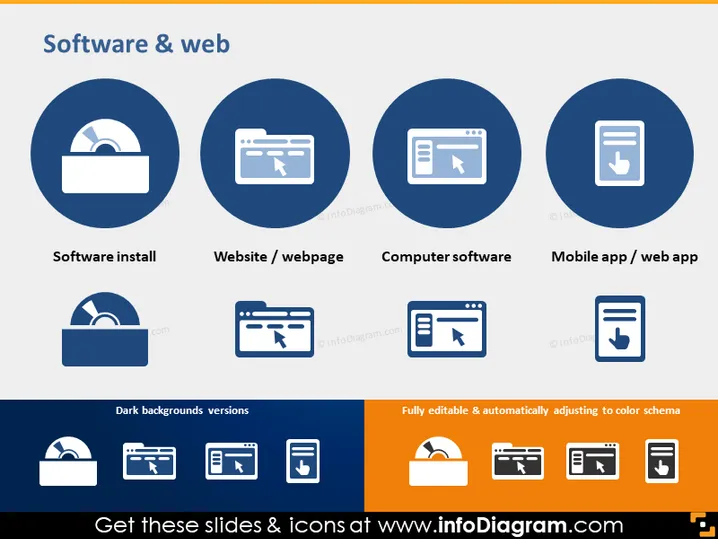
The PowerPoint slide is titled "Software & web," indicating it focuses on icons related to software and web services. The slide is divided into two sections, with the upper section showcasing four icons, each with a label beneath it: "Software install," "Website / webpage," "Computer software," and "Mobile app / web app." The "Software install" icon indicates the process of adding new software to a system. The "Website / webpage" represents online pages accessible via the internet. "Computer software" signifies programs run on computers, and "Mobile app / web app" refers to applications for mobile devices or web platforms.
Graphical Look
- The slide background is white, providing a clean and neutral canvas for the content.
- Four circular, dark blue icons are presented in the upper half of the slide, evenly spaced in a horizontal row.
- Each icon is a stylized representation of the concept it represents, utilizing white graphics against the dark blue to ensure high contrast and visibility.
- Each icon corresponds to a label below it, written in lowercase letters, using a sans-serif font for easy legibility.
- In the lower section, there are two text boxes with a blue background and white text, and each box contains an array of smaller icons in white, relating to the ones above.
- The left box is labeled "Dark backgrounds versions" showing how the icons would appear on a dark background.
- The right box is labeled "Fully editable & automatically adjusting to color schema," suggesting the icons' adaptability in different presentation schemes.
The overall look of the slide is professional and visually organized, with a clear focus on the icons representing different aspects of software and web applications. The use of color and contrast makes the icons standout and easily identifiable.
Use Cases
- This slide could be used in a presentation to introduce the scope of a technology company's services or products.
- It might also be employed in training or educational materials to discuss the different types of digital products, such as software applications and web solutions.
- The icons could serve as a visual aid during a pitch to investors illustrating the various platforms a startup plans to target.
- This template would be suitable for web developers or IT professionals to outline the areas they specialize in during a client presentation or an internal company meeting.
How to Edit
How to edit text & colors

How to expand / shorten diagram

How to Replace Icons in infoDiagram PPT


