Reviews
The icons are fantastic, easy to use, and will add value to any project or presentation. Keep up the great work.
I love how simple infoDiagram's solutions are and the personal interest they took in my work. Recommended 1000%!
The crisp, clean look of the graphics, and the fact that it allowed me to easily edit and change the colors to match the template was my main reason for purchasing them.
Description
Icons: Hand-drawn Accomplishment Signs
Slide Content
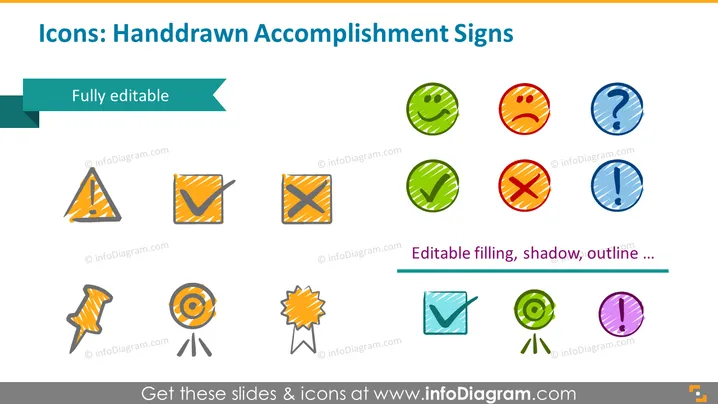
The slide is titled "Icons: Hand-drawn Accomplishment Signs" and showcases a collection of colorful, hand-drawn style icons that represent various statuses or outcomes. Of these, the check mark typically signifies completion or approval, while the cross or "X" can denote rejection or a negative result. A triangle with an exclamation point usually indicates a warning or caution. Question marks are often used for uncertainty or inquiry. The pinned paper and a medal ribbon imply a note or an announcement and recognition or achievement, respectively. All icons are described as fully editable, meaning that their filling, shadow, outline, and other properties can be customized.
Graphical Look
- The slide background is plain and mostly white, allowing the colorful icons to stand out.
- Each icon features a distinct, hand-drawn appearance with a sketch-like quality, using scribbled lines and irregular shapes to convey a more informal or creative look.
- The icons are arranged in two rows, with various shapes such as circles, squares, triangles, a ribbon, and a pin.
- They are presented in a palette of multiple colors including red, green, blue, orange, and purple tones, each with a textured fill pattern and drop shadow effects for depth.
- A teal banner at the top of the slide highlights the "Fully editable" label in white text.
- Another banner at the bottom with a deeper shade of teal contains text reading "Editable filling, shadow, outline..." in white, implying the customizability of the icons.
The overall aesthetic of the slide is clean and modern, with a creative twist provided by the hand-drawn elements. The color palette is vibrant and engaging, and the informal icon designs would likely make complex information more approachable and understandable.
Use Cases
- To visually represent project statuses in-progress updates or completion during team meetings.
- To add a playful and engaging element to educational presentations, particularly when describing success metrics or providing feedback.
- In marketing material to highlight the customizable nature of a product or service with a creative edge.
- As engagement tools in workshops or interactive sessions to vote or express opinions on ideas or concepts.
How to Edit
How to edit text & colors

How to expand / shorten diagram

How to Replace Icons in infoDiagram PPT



