
Reviews
Sus gráficos añaden un toque agradable a mis presentaciones y recientemente los usé para una de mis reuniones generales. Su conjunto de herramientas añade profesionalismo a mis diapositivas. En lugar de usar imágenes prediseñadas estándar.
Necesitaba un aspecto fresco para algunas de mis diapositivas. Había intentado encontrar una forma de crear un efecto de pincel, de subrayar, acentuar, añadir algo de color y los marcadores escritos a mano fueron justo lo que necesitaba. Muy fácil de usar, fácil de ajustar el tamaño, cambiar el color. Fue una solución asequible y perfecta, y estoy feliz de recomendarla.
El aspecto nítido y limpio de los gráficos, y el hecho de que me permitiera editar y cambiar fácilmente los colores para que coincidieran con la plantilla fue mi principal razón para comprarlos.
Description
Icons for Puzzle Diagrams - Compliance
Slide Content
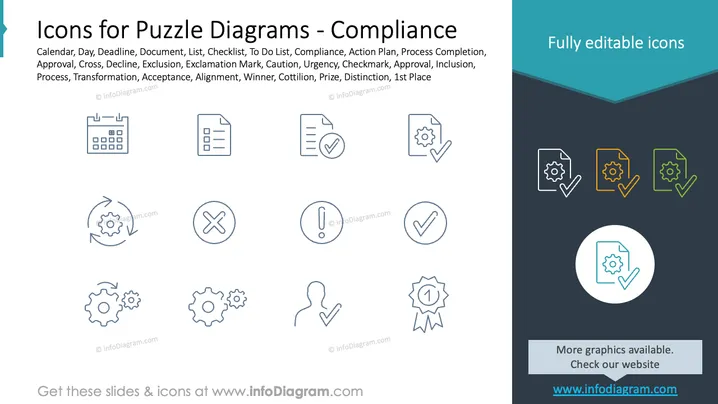
The slide presents a collection of symbols representing various concepts related to compliance and project management, such as Calendar, Deadline, and Checklist, indicating scheduling and time management aspects. Document and To Do List imply organizational tools. Compliance and Action Plan suggest regulatory adherence and strategy. Process Completion and Approval denote the finalization and validation of tasks, while Cross and Decline represent negative outcomes or rejections. Exclamation Mark signifies alerts or important notices. Caution, Urgency, Checkmark, and Approval reflect the need for timely attention, verification, and acceptance. Finally, Inclusion, Process, Transformation, Acceptance, Alignment, Winner, Cotillion, Prize, Distinction, and 1st Place indicate steps in a process, achievement, and recognition.
Graphical Look
- The slide background is divided into two sections: a lighter upper area and a darker lower area with a diagonal divide.
- A banner at the top of the slide features the text "Fully editable icons" in white.
- A total of 15 icons are evenly distributed in three rows on the lighter section of the background. Each icon is enclosed in a circle and is monochrome.
- The icons depict various items: a calendar, a document, a checklist, gears, a human figure, an exclamation mark, an X mark, a checkmark, and a ribbon, representing different aspects of project management and compliance.
- The colors of the icons are primarily blue, with the exception of four icons on the right, which are colored with gradients of orange, green, and blue.
- There is a larger icon highlighted in a circle in the center of the darker lower section, which duplicates one of the icons above, specifically the one representing process completion (gears with a checkmark).
The slide has a professional and clean layout, using contrasting colors and simple icons to convey a sense of organization and efficiency. The use of circles to encase the icons contributes to a consistent and organized visual structure.
Use Cases
- This slide can be utilized in project management presentations to signify different stages or tasks within a project lifecycle.
- Compliance officers might use this slide in training materials to emphasize key compliance processes or regulatory requirements.
- During strategic planning meetings, these icons can help visualize steps in an action plan or denote milestones and achievements.
- In productivity workshops, the slide can support discussions about optimizing processes, task management, and prioritizing workloads.
How to Edit
How to edit text & colors

How to expand / shorten diagram

How to Replace Icons in infoDiagram PPT


