
Reviews
Ihre Grafiken verleihen meinen Präsentationen eine nette Note, und ich habe sie kürzlich für eines meiner All-Hands-Meetings verwendet. Ihre Toolbox verleiht meinen Folien Professionalität, anstatt Standard-Clipart zu verwenden.
Ich brauchte einen neuen Blick auf einige meiner Folien. Ich habe versucht, einen Weg zu finden, einen Pinselschlag-Effekt zu erzielen, um zu unterstreichen, hervorzuheben, Farbe hinzuzufügen, und die handgeschriebenen Markierungen waren genau das Richtige. Sehr einfach zu bedienen, leicht in der Größe zu ändern, die Farbe zu ändern. Es war eine erschwingliche, perfekte Lösung und ich empfehle sie gerne weiter.
Die klare, saubere Optik der Grafiken und die Tatsache, dass ich die Farben leicht bearbeiten und an die Vorlage anpassen konnte, war mein Hauptgrund für den Kauf.
Description
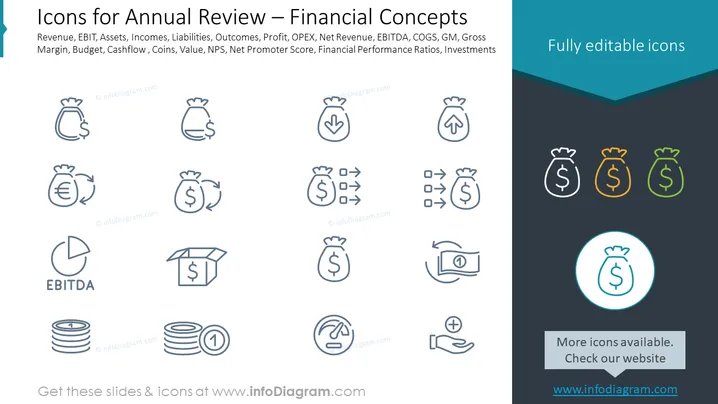
Icons for Annual Review – Financial Concepts
Slide Content
The slide is titled "Icons for Annual Review – Financial Concepts" and presents a collection of graphical icons representing various financial terms and metrics used in business. These include Revenue, EBIT (Earnings Before Interest and Taxes), Assets, Incomes, Liabilities, Outcomes, Profit, OPEX (Operational Expenditures), Net Revenue, EBITDA (Earnings Before Interest, Taxes, Depreciation, and Amortization), COGS (Cost of Goods Sold), GM (Gross Margin), Gross Margin, Budget, Cashflow, Coins, Value, NPS (Net Promoter Score), Financial Performance Ratios, and Investments. Each term is associated with an icon that visualizes the concept it represents.
Graphical Look
- The background is split into two sections: a white upper half and a darker lower half, with a teal banner across the top.
- Two columns of icons are arranged on the white background, with three additional icons displayed on the darker background area.
- Each icon is simple and monochromatic, predominantly using shades of blue, with one row showing icons in shades of blue and other colors like orange and green.
- The icons are encircled with a light blue outline, and the same color is used for text labels beneath each icon.
- A circular highlight is placed around one of the icons on the darker background, distinguishing it visually from others.
- At the right top corner of the slide, there is a text box with the phrase "Fully editable icons" against the teal banner.
- A rectangle at the bottom middle of the dark section contains text that suggests more icons are available on a website.
The overall look of the slide is clean and professional, with a color scheme that is consistent and conducive to a corporate or financial presentation. The icons are designed to be clear and easily identifiable, representing their corresponding financial concepts with minimalistic imagery.
Use Cases
-
To elaborate on the Use Cases:
-
During an annual corporate meeting to present key financial metrics and performance indicators to stakeholders.
-
In financial training materials to help familiarize new employees with common financial terms and their representations.
-
As part of a presentation to potential investors to visually summarize the financial health and processes of a company.
-
Within a business strategy session, enabling quick reference to various financial aspects that are under discussion.
How to Edit
How to edit text & colors

How to expand / shorten diagram

How to Replace Icons in infoDiagram PPT


