
Reviews
Sus gráficos añaden un toque agradable a mis presentaciones y recientemente los usé para una de mis reuniones generales. Su conjunto de herramientas añade profesionalismo a mis diapositivas. En lugar de usar imágenes prediseñadas estándar.
Necesitaba un aspecto fresco para algunas de mis diapositivas. Había intentado encontrar una forma de crear un efecto de pincel, de subrayar, acentuar, añadir algo de color y los marcadores escritos a mano fueron justo lo que necesitaba. Muy fácil de usar, fácil de ajustar el tamaño, cambiar el color. Fue una solución asequible y perfecta, y estoy feliz de recomendarla.
El aspecto nítido y limpio de los gráficos, y el hecho de que me permitiera editar y cambiar fácilmente los colores para que coincidieran con la plantilla fue mi principal razón para comprarlos.
Description
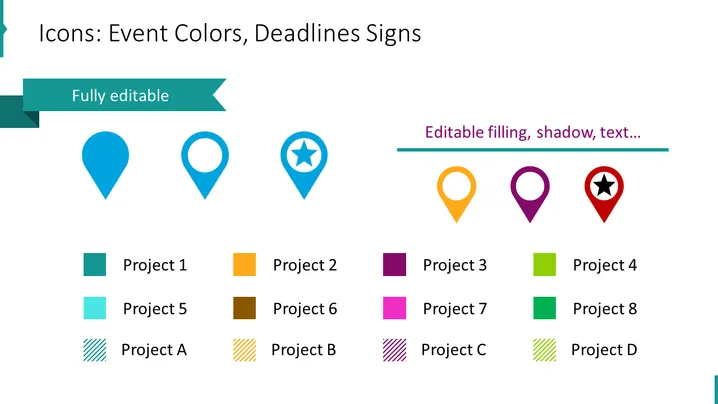
Icons: Event Colors, Deadlines Signs
Slide Content
The PowerPoint slide presents a set of icons designed to represent event colors and deadline signs in different shapes and colors, emphasizing their customizable nature. Each icon is paired with a color-coded label, suggesting a use-case for project management or event planning. There are eight distinct projects labeled from Project 1 to Project 8, showing a variety of color schemes that could be used to differentiate tasks, milestones, or project statuses. The labels Project A to Project D, each with a distinctive pattern, imply different categories or phases within a project or event setup.
Graphical Look
- Four location pin icons with different fill colors and one with a star symbol in the center are displayed in a horizontal fashion at the top.
- Each pin icon is captioned with "Fully editable" or "Editable filling, shadow, text..." hinting at the customizable features of these graphics.
- Below, there are two rows with square color swatches, each accompanied by a project label, ranging from Project 1 to Project 8.
- In the second row of squares, the swatches have a diagonal stripe pattern, offering a visual contrast, labeled Project A through Project D.
- A light teal ribbon banner runs across the slide, partially behind the first icon, enhancing the slide's visual appeal and possibly indicating an area of focus.
The PowerPoint slide employs a clean and modern design with vibrant colors and simple shapes to represent customization options for events or projects. It is visually balanced, with a focus on iconography and color-coding that offers an intuitive understanding of the slide's function.
Use Cases
- To visually communicate the status or type of various projects in a project management meeting or update presentation.
- For event planners to mark different stages or aspects of an event, such as VIP areas or key milestones.
- In a marketing strategy presentation to differentiate between product lines or campaign elements.
- As an organizational tool within internal company training modules for assigning and categorizing tasks or responsibilities.
How to Edit
How to edit text & colors

How to expand / shorten diagram

How to Replace Icons in infoDiagram PPT


