Reviews
Ihre Grafiken verleihen meinen Präsentationen eine nette Note, und ich habe sie kürzlich für eines meiner All-Hands-Meetings verwendet. Ihre Toolbox verleiht meinen Folien Professionalität, anstatt Standard-Clipart zu verwenden.
Ich brauchte einen neuen Blick auf einige meiner Folien. Ich habe versucht, einen Weg zu finden, einen Pinselschlag-Effekt zu erzielen, um zu unterstreichen, hervorzuheben, Farbe hinzuzufügen, und die handgeschriebenen Markierungen waren genau das Richtige. Sehr einfach zu bedienen, leicht in der Größe zu ändern, die Farbe zu ändern. Es war eine erschwingliche, perfekte Lösung und ich empfehle sie gerne weiter.
Die klare, saubere Optik der Grafiken und die Tatsache, dass ich die Farben leicht bearbeiten und an die Vorlage anpassen konnte, war mein Hauptgrund für den Kauf.
Description
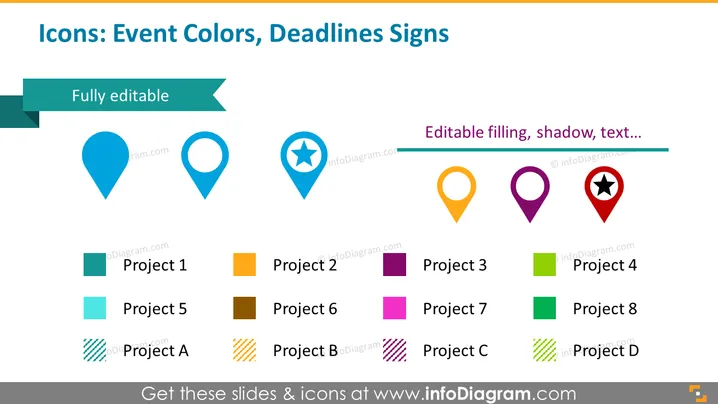
Icons: Event Colors, Deadlines Signs
Slide Content
The slide appears to be focused on showcasing icons used for indicating event colors and deadline signs in project management or event planning contexts. A variety of map pin icons are displayed, each with different colors and symbols inside to differentiate between various projects or deadlines. Accompanying each pin icon is a corresponding colored square, labeled with "Project [number]" or "Project [letter]" to facilitate easy visual correlation between the colored icons and project identifiers.
Graphical Look
- The slide has a white background which provides a clean and distraction-free backdrop for the icons and text.
- At the top of the slide, there is a teal-colored rectangle with the slide title in white text.
- Six pin-shaped icons are displayed in a horizontal row with varying colors and interior symbols (like a star or circle).
- Two ribbons with text are situated above and below the row of icons, labeled "Fully editable" and "Editable filling, shadow, text…" respectively.
- Below the icons, there are eight colored squares (two rows of four), each one associated with a different 'project' label. The squares' colors correspond with the icons above them.
- The colors for these squares vary, including teal, orange, purple, and green, with alternate patterns such as stripes to distinguish between similar shades.
- Each project label is a simple text, using a contrasting color that ensures readability against the background color of its respective square.
The slide utilizes a simple and professional design, with emphasis placed on color coding and iconography for clear visual communication. The alignment of icons and color squares is meticulously done to ensure a structured and uncluttered representation of information.
Use Cases
- In business presentations to display project status updates, with colors representing different project phases or priorities.
- For event planning meetings to visually map out various tasks or deadlines, aiding in quick identification and discussion.
- Within project management workflows for enhancing dashboards or reports with a visual key to indicate milestones, deliverables, or critical path items.
- During team briefings, to visually categorize different areas of responsibility or segments of a larger project or event, improving clarity and engagement.
How to Edit
How to edit text & colors

How to expand / shorten diagram

How to Replace Icons in infoDiagram PPT



