
Reviews
Ihre Grafiken verleihen meinen Präsentationen eine nette Note, und ich habe sie kürzlich für eines meiner All-Hands-Meetings verwendet. Ihre Toolbox verleiht meinen Folien Professionalität, anstatt Standard-Clipart zu verwenden.
Ich brauchte einen neuen Blick auf einige meiner Folien. Ich habe versucht, einen Weg zu finden, einen Pinselschlag-Effekt zu erzielen, um zu unterstreichen, hervorzuheben, Farbe hinzuzufügen, und die handgeschriebenen Markierungen waren genau das Richtige. Sehr einfach zu bedienen, leicht in der Größe zu ändern, die Farbe zu ändern. Es war eine erschwingliche, perfekte Lösung und ich empfehle sie gerne weiter.
Die klare, saubere Optik der Grafiken und die Tatsache, dass ich die Farben leicht bearbeiten und an die Vorlage anpassen konnte, war mein Hauptgrund für den Kauf.
Description
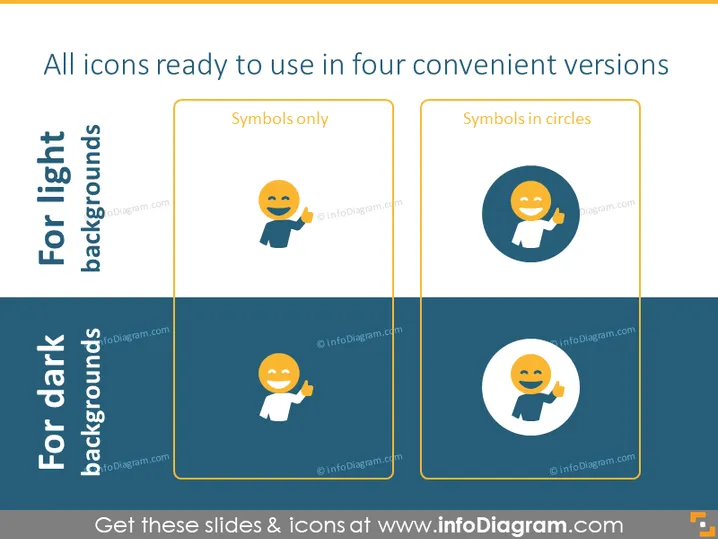
All icons ready to use in four convenient versions
Slide Content
The slide presents icons optimized for different background settings, divided into two categories: "For light backgrounds" and "For dark backgrounds". Each category showcases two display options for the icons: "Symbols only" and "Symbols in circles". The "Symbols only" option indicates that the icon has no background, offering flexibility for integration into various design layouts. The "Symbols in circles" option displays the icon within a circular background, which helps it stand out prominently on any slide.
Graphical Look
- The slide is divided into two horizontal sections, one for light backgrounds and one for dark backgrounds, with a distinct color difference between the two.
- Each section contains two framed boxes with header titles, "Symbols only" and "Symbols in circles".
- Inside each box, there is a sample icon - a smiling face making a thumbs-up gesture.
- The icon in the "Symbols only" box is displayed against a transparent background.
- The icon in the "Symbols in circles" box is encased inside a dark blue circle.
The overall look of the slide is clean and professional with a clear contrast between the icon display options and their suitability for light or dark backgrounds. It effectively communicates the versatility of the icon designs.
Use Cases
- To demonstrate how icons can be integrated into presentations with varying background colors.
- When providing a brand guide or design guidelines, showcasing how different icon styles should be used.
- In a workshop on presentation design, illustrating the impact of icon background on visual compatibility.
- While preparing template slides that need to be versatile for different corporate presentation themes.
How to Edit
How to edit text & colors

How to expand / shorten diagram

How to Replace Icons in infoDiagram PPT


