
Reviews
Sus gráficos añaden un toque agradable a mis presentaciones y recientemente los usé para una de mis reuniones generales. Su conjunto de herramientas añade profesionalismo a mis diapositivas. En lugar de usar imágenes prediseñadas estándar.
Necesitaba un aspecto fresco para algunas de mis diapositivas. Había intentado encontrar una forma de crear un efecto de pincel, de subrayar, acentuar, añadir algo de color y los marcadores escritos a mano fueron justo lo que necesitaba. Muy fácil de usar, fácil de ajustar el tamaño, cambiar el color. Fue una solución asequible y perfecta, y estoy feliz de recomendarla.
El aspecto nítido y limpio de los gráficos, y el hecho de que me permitiera editar y cambiar fácilmente los colores para que coincidieran con la plantilla fue mi principal razón para comprarlos.
Description
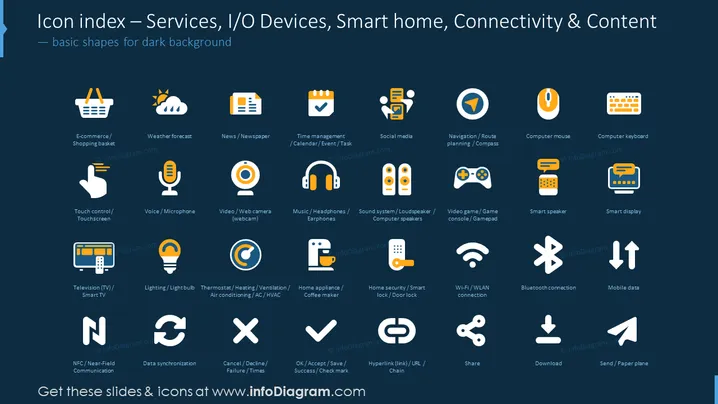
Icon index — Services, I/O Devices, Smart home, Connectivity & Content
Slide Content
The PowerPoint slide is designed to provide an icon index related to technology services, input/output devices, smart home applications, and digital connectivity. These icons include representations for E-commerce, Weather forecast, News/Newspaper, Time management, Social media, Navigation, Computer mouse, and Computer keyboard. Each icon comes with a brief descriptor such as "Shopping basket" for E-commerce, "Calendar/Event/Task" for Time management, and "Door lock" for smart home security devices. Others represent common technology hardware and services, such as Touch control, Voice/Microphone, Video/Web camera, and more complex concepts like NFC, Data synchronization, and various forms of digital communication like Wi-Fi and Bluetooth.
Graphical Look
- The slide background is a dark shade, providing high contrast for the icons and text.
- Twenty-five icons are neatly arranged in a five-by-five grid.
- Each icon is accompanied by a short descriptive text, positioned below it.
- Icons are designed with a simplistic, flat-design style, using a limited color palette mainly consisting of white, orange, and blue shades.
- Text for each icon is white for readability against the dark background.
- The overall design is clean, with a consistent theme and an aesthetically balanced layout.
The slide presents a professional and modern aesthetic, with icons that are easily identifiable due to their design simplicity and color contrasts, which make them stand out against the dark background.
Use Cases
- Used in technology-related presentations to visually represent different concepts without the need for text-heavy explanations.
- Included in training materials to familiarize employees with various tech symbols and functionality.
- Incorporated into marketing materials to highlight the features of a tech product or service.
- Adopted in user interface designs or digital products as a reference for iconography assuring consistency across platforms.
How to Edit
How to edit text & colors

How to expand / shorten diagram

How to Replace Icons in infoDiagram PPT


