
Your graphics add a nice touch to my presentations and I recently used them for one of my all-hands meetings. Your toolbox adds professionalism to my slides. Instead of using standard clipart.
Claude Jones, Director of Engineer, @Walmartlabs, USA
Your graphics add a nice touch to my presentations and I recently used them for one of my all-hands meetings. Your toolbox adds professionalism to my slides. Instead of using standard clipart.
Claude Jones, Director of Engineer, @Walmartlabs, USA
I needed a fresh look at some of my slides. I've tried to find a way to create a paintbrush effect, to underline, accentuate, add some color and the handwritten markers were just the things. Very easy to use, easy to size, change the color. It was an affordable, perfect solution and I'm happy to recommend it.
Anonymous, US
The crisp, clean look of the graphics, and the fact that it allowed me to easily edit and change the colors to match the template was my main reason for purchasing them.
Brandie Jenkins, E-learning Developer, USA
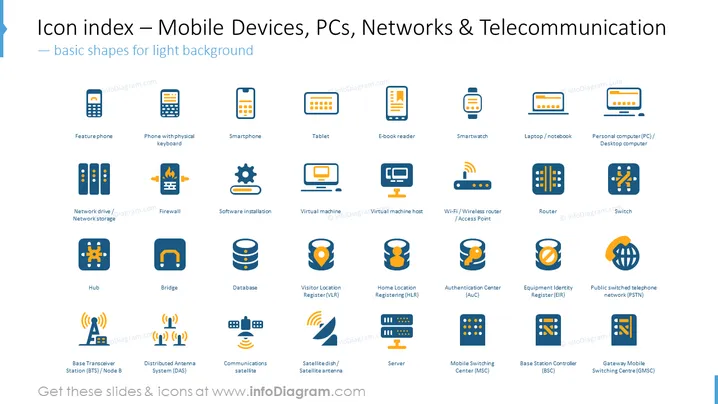
The PowerPoint slide is a visual index of icons related to Mobile Devices, PCs, Networks, and Telecommunication, optimized for a light background. It features a collection of colored icons with text labels beneath them. Each icon represents a different technological device or concept, ranging from various types of phones like "Featurephone," "Smartphone," and "Tablet," to networking hardware and facilities such as "Firewall," "Router," and "Server." The slide also features symbols for "Software installation," "Virtual Machine," "Wi-Fi/Wireless router," and systems like "Home Location Registering (HLR)."
The overall look of the slide is crisp and professional, with a clear focus on information visualization. The uniform design of icons and text makes it easy to scan and comprehensively understand.




