Icon index – Mobile devices, PCs, Networks & Telecommunication
Slide Content
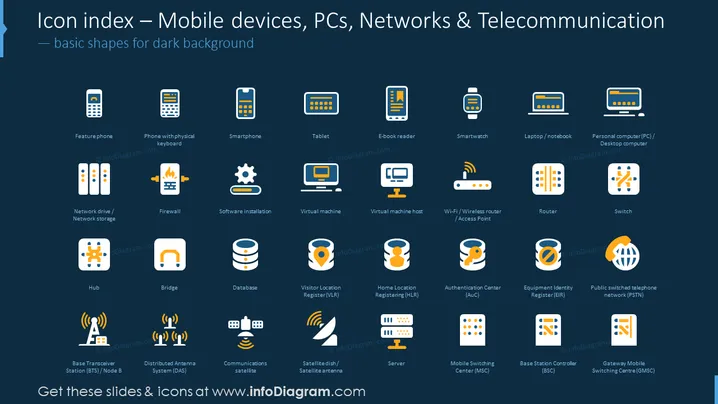
The slide is a visual index of icons representing mobile devices, personal computers, networking equipment, and telecommunication concepts. It's designed for dark backgrounds and includes basic shape representations of various technological devices and systems, such as feature phones, smartphones, tablets, e-book readers, smartwatches, laptops, personal computers, network drives, firewalls, routers, switches, hubs, databases, and various network service registers and centers like VLR, HLR, AuC, EIR, BTS/Node B, DAS, communication satellites, servers, MSC, BSC, and GMSC.
Graphical Look
- The slide background is dark, possibly black.
- The title "Icon index – Mobile devices, PCs, Networks & Telecommunication" is displayed at the top in large, white, sans-serif font.
- Below the title, a subtitle "basic shapes for dark background" is shown in a smaller font.
- A total of 25 icons are presented in a grid layout, with 5 columns across and 5 rows down.
- Each icon is paired with a label beneath it, describing what it is intended to represent, such as "Smartphone," "Tablet," "Firewall," etc. These labels are in white, sans-serif font.
- Icons feature a 2D flat design with limited color palette, mainly orange, blue, white, and shades of gray.
- The icons appear to be uniform in size and designed with a simple, clean aesthetic.
- Each icon is contained within a white or light-colored rectangle with rounded corners.
The slide has a modern and clean appearance, with good contrast between the icons and the dark background ensuring high visibility. The uniformity of the icon design creates a cohesive visual experience.
Use Cases
- To provide a visual glossary during training sessions on IT and telecommunications topics.
- As a reference point in technical presentations to define or depict various tech components.
- To enhance slides with visual cues when discussing technological infrastructure in business planning or strategy meetings.
- For use in marketing materials to visually represent the technology products or services offered by a company.