
Your graphics add a nice touch to my presentations and I recently used them for one of my all-hands meetings. Your toolbox adds professionalism to my slides. Instead of using standard clipart.
Claude Jones, Director of Engineer, @Walmartlabs, USA

Your graphics add a nice touch to my presentations and I recently used them for one of my all-hands meetings. Your toolbox adds professionalism to my slides. Instead of using standard clipart.
Claude Jones, Director of Engineer, @Walmartlabs, USA

I needed a fresh look at some of my slides. I've tried to find a way to create a paintbrush effect, to underline, accentuate, add some color and the handwritten markers were just the things. Very easy to use, easy to size, change the color. It was an affordable, perfect solution and I'm happy to recommend it.
Anonymous, US
The crisp, clean look of the graphics, and the fact that it allowed me to easily edit and change the colors to match the template was my main reason for purchasing them.
Brandie Jenkins, E-learning Developer, USA
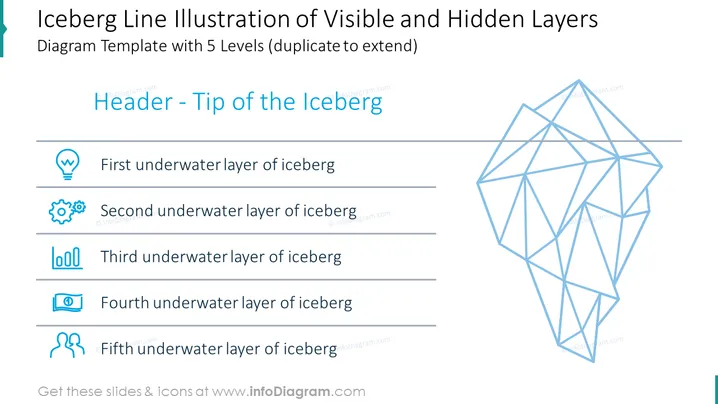
This PowerPoint slide is titled "Iceberg Line Illustration of Visible and Hidden Layers" and uses the iceberg metaphor, showing a diagram with 5 layers for representing different levels of information or concepts, which can be duplicated to extend further. The title is followed by a subtitle, "Header - Tip of the Iceberg," indicating the visible part above water. Each layer below the title is associated with a visual icon: a light bulb for the first layer signifies ideas or enlightenment; gears for the second imply mechanism or processes; a loop for the third represents cycles or repetition; the fourth with a document icon suggests reports or data; and the fifth featuring two discussion bubbles could stand for communication or feedback.
The slide uses a clean, professional design with a contrasting color scheme emphasizing the informational hierarchy. The icons are modern and consistent in style, complementing the geometric design of the iceberg illustration.


