

Your graphics add a nice touch to my presentations and I recently used them for one of my all-hands meetings. Your toolbox adds professionalism to my slides. Instead of using standard clipart.
Claude Jones, Director of Engineer, @Walmartlabs, USA

Your graphics add a nice touch to my presentations and I recently used them for one of my all-hands meetings. Your toolbox adds professionalism to my slides. Instead of using standard clipart.
Claude Jones, Director of Engineer, @Walmartlabs, USA
I needed a fresh look at some of my slides. I've tried to find a way to create a paintbrush effect, to underline, accentuate, add some color and the handwritten markers were just the things. Very easy to use, easy to size, change the color. It was an affordable, perfect solution and I'm happy to recommend it.
Anonymous, US
The crisp, clean look of the graphics, and the fact that it allowed me to easily edit and change the colors to match the template was my main reason for purchasing them.
Brandie Jenkins, E-learning Developer, USA
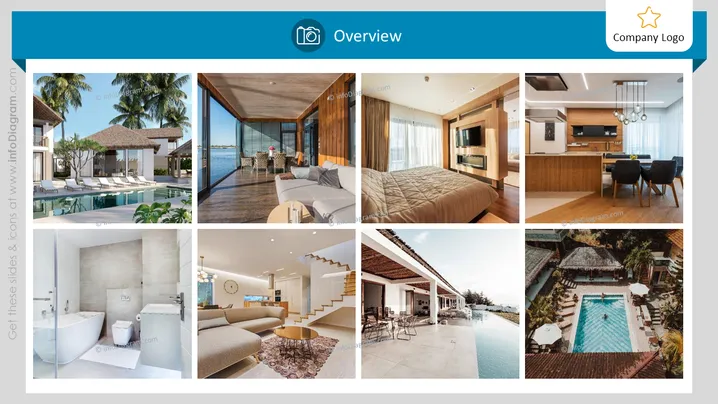
The PowerPoint slide titled "Overview" presents a visual showcase of multiple interior and exterior spaces, likely related to real estate, hospitality, or architectural design. It uses high-quality images to convey the aesthetics and atmosphere of the featured locations, which could include luxury homes, hotels, or resorts. Each image serves as a snapshot into the design elements, furnishings, and ambience of the spaces, helping the viewer gain a comprehensive understanding of the property's features and styling.
The slide uses a balanced and symmetrical design, which gives it a polished and harmonious appearance. The focus on high-quality imagery makes the slide visually appealing and effective in showcasing properties or designs.



