
Reviews
Sus gráficos añaden un toque agradable a mis presentaciones y recientemente los usé para una de mis reuniones generales. Su conjunto de herramientas añade profesionalismo a mis diapositivas. En lugar de usar imágenes prediseñadas estándar.
Necesitaba un aspecto fresco para algunas de mis diapositivas. Había intentado encontrar una forma de crear un efecto de pincel, de subrayar, acentuar, añadir algo de color y los marcadores escritos a mano fueron justo lo que necesitaba. Muy fácil de usar, fácil de ajustar el tamaño, cambiar el color. Fue una solución asequible y perfecta, y estoy feliz de recomendarla.
El aspecto nítido y limpio de los gráficos, y el hecho de que me permitiera editar y cambiar fácilmente los colores para que coincidieran con la plantilla fue mi principal razón para comprarlos.
Description
House Key Graphics List Template – 5 Items
Slide Content
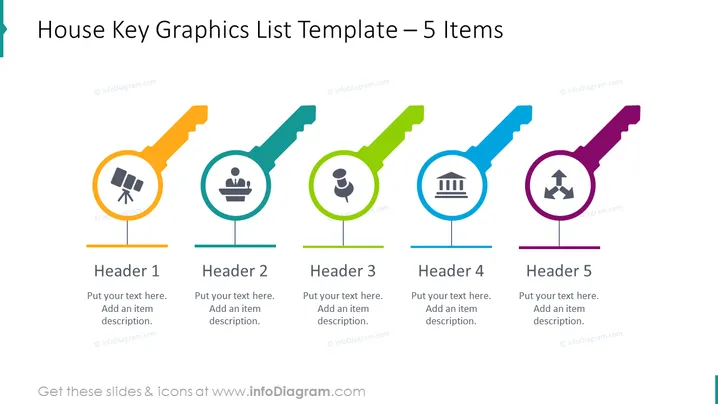
The PowerPoint slide titled "House Key Graphics List Template – 5 Items" presents a list of five key concepts, each associated with a colored graphical key and an icon inside a circle at the handle-end of the key. The keys are horizontally aligned and are in different colors—orange, teal, green, blue, and purple. Each key has a title ("Header 1" through "Header 5") and a space for text below it to describe the item. These placeholders suggest customizable content that can be adapted to the presenter's specific topics.
Graphical Look
- A set of five keys in different colors (orange, teal, green, blue, and purple) aligned horizontally across the slide.
- Each key has a circular element at its handle-end containing a unique icon (a satellite dish, presentation audience, user, bank, and arrows respectively).
- All keys are connected to their corresponding titles and text placeholders by a thin line that suggests a link between the graphical elements and their explanations.
- The slide has a clean, modern look with bold colors and flat design icons.
- The font for the headers is bold and sans-serif, ensuring legibility.
The overall look of the slide is colorful and organized, using the key metaphor to present a list of sequential or related concepts. The design is simple and professional, making it easy to read and potentially engaging.
Use Cases
- Outlining the main points of a strategic business plan or proposal, with each key representing a core area of focus or department.
- Visualizing steps in a process or stages in a project management timeline, with each key symbolizing a distinct phase or milestone.
- Highlighting product features or services offered by a company, where each key corresponds to a specific feature or service.
- Summarizing the different roles or responsibilities within a team or organization, using the keys to differentiate each function or job title.
How to Edit
How to edit text & colors

How to expand / shorten diagram

How to Replace Icons in infoDiagram PPT


