
Reviews
Ihre Grafiken verleihen meinen Präsentationen eine nette Note, und ich habe sie kürzlich für eines meiner All-Hands-Meetings verwendet. Ihre Toolbox verleiht meinen Folien Professionalität, anstatt Standard-Clipart zu verwenden.
Ich brauchte einen neuen Blick auf einige meiner Folien. Ich habe versucht, einen Weg zu finden, einen Pinselschlag-Effekt zu erzielen, um zu unterstreichen, hervorzuheben, Farbe hinzuzufügen, und die handgeschriebenen Markierungen waren genau das Richtige. Sehr einfach zu bedienen, leicht in der Größe zu ändern, die Farbe zu ändern. Es war eine erschwingliche, perfekte Lösung und ich empfehle sie gerne weiter.
Die klare, saubere Optik der Grafiken und die Tatsache, dass ich die Farben leicht bearbeiten und an die Vorlage anpassen konnte, war mein Hauptgrund für den Kauf.
Description
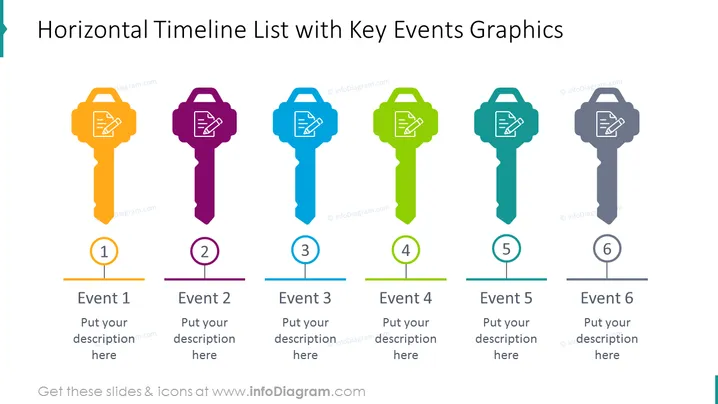
Horizontal Timeline List with Key Events Graphics
Slide Content
The slide presents a timeline with six color-coded key events depicted as individual stylized keys. Each key has a unique color and contains a graphic symbol of a document with text, indicating documentation or recorded information. Underneath each key is a circular tag labeled with an event number from 1 to 6 followed by a placeholder text "Put your description here," which suggests that users can customize the slide with specific details about each event.
Graphical Look
- Six key icons aligned horizontally, each with a unique color: orange, purple, blue, green, teal, and grey.
- Inside each key icon is a white graphic of a document with text lines, standardizing the theme across all events.
- Circular tags with event numbers are located below each key, featuring a matching color outline corresponding to the key above it.
- Horizontal lines extend from each circular tag, connected to a central line that serves as a timeline, visually indicating a sequence of events.
- Placeholder text for descriptions is provided below each circular tag, inviting the addition of detailed information about each event.
- The slide background is a simple, clean white, ensuring the vibrant colors of the keys and tags stand out.
The overall look of the slide is clean and organized, using both color and simple icons to convey a sequence of events or steps. The styling of icons as keys with documents symbolizes unlocking or revealing various phases or milestones.
Use Cases
- To illustrate project timelines in business meetings, indicating each phase with a key event.
- In educational presentations to depict chronological events in history or the progression of a concept.
- For onboarding presentations, showing key steps in the process of integrating a new employee or system.
- As a visual aid in strategy sessions to outline critical milestones in the development and execution of plans.
How to Edit
How to edit text & colors

How to expand / shorten diagram

How to Replace Icons in infoDiagram PPT


