
Reviews
Deine Folien sind meine 'geheime Zutat', wenn es darum geht, meine Ideen Kunden zu visualisieren. Ich spare so viel Zeit.
Ihre Folien führen oft zu guten Kommentaren und Ideen meines Teams, die die endgültigen Folien verbessern.
Description
3-Puzzle Linear Horizontal Diagram (Flat Style)
Slide Content
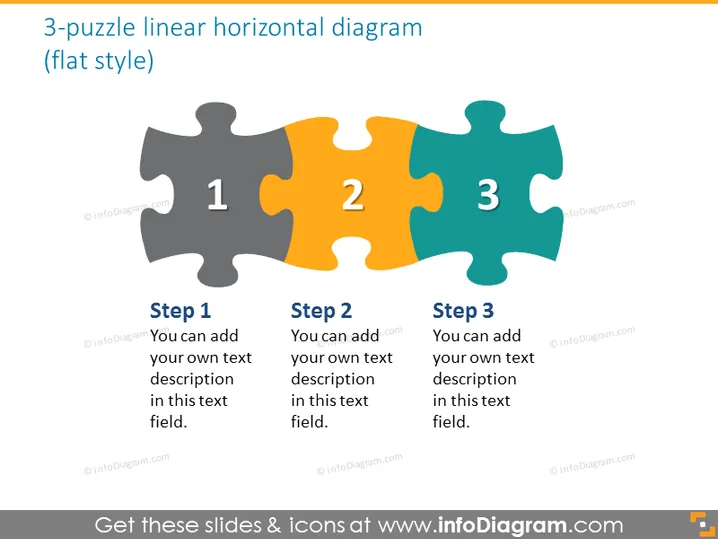
The slide presents a 3-step process using a jigsaw puzzle analogy. Each puzzle piece is numbered and colored distinctly, representing a sequential phase of a process. "Step 1" is associated with a grey puzzle piece, suggesting the beginning or foundation. "Step 2" is on an orange piece, indicating progression or an intermediary step. "Step 3" is denoted by a blue piece, possibly signifying the completion or final stage. For each step, there's a placeholder for additional text to expand on the specific details of each process phase.
Graphical Look
- Three interlocking puzzle pieces arranged in a horizontal line.
- Each puzzle piece has a unique color: gray, orange, and teal.
- Numbers 1, 2, and 3 are centered in each respective puzzle piece, indicating a sequence.
- Text boxes below each puzzle piece serve as placeholders for descriptive text.
- The puzzle pieces have a slight gradient and a subtle drop shadow, adding depth.
- The font used for the numbers is bold and large, making it clear and easily readable.
- The slide background is white, giving a clean and minimalistic feel.
The slide uses a simple yet effective visual metaphor of a puzzle to convey process stages or a timeline. The use of colors and numbers makes it clear and easy to follow.
Use Cases
- Outlining the phases of a project or initiative in business meetings to provide clear steps.
- Describing the stages of product development in a presentation to stakeholders or team members.
- Illustrating the sequential steps of a strategic plan during a board or investor meeting.
- Using as a visual aid for training materials to depict the progression of learning modules or skills development.
How to Edit
How to edit text & colors

How to expand / shorten diagram

How to Replace Icons in infoDiagram PPT


