
Reviews
Ihre Grafiken verleihen meinen Präsentationen eine nette Note, und ich habe sie kürzlich für eines meiner All-Hands-Meetings verwendet. Ihre Toolbox verleiht meinen Folien Professionalität, anstatt Standard-Clipart zu verwenden.
Ich brauchte einen neuen Blick auf einige meiner Folien. Ich habe versucht, einen Weg zu finden, einen Pinselschlag-Effekt zu erzielen, um zu unterstreichen, hervorzuheben, Farbe hinzuzufügen, und die handgeschriebenen Markierungen waren genau das Richtige. Sehr einfach zu bedienen, leicht in der Größe zu ändern, die Farbe zu ändern. Es war eine erschwingliche, perfekte Lösung und ich empfehle sie gerne weiter.
Die klare, saubere Optik der Grafiken und die Tatsache, dass ich die Farben leicht bearbeiten und an die Vorlage anpassen konnte, war mein Hauptgrund für den Kauf.
Description
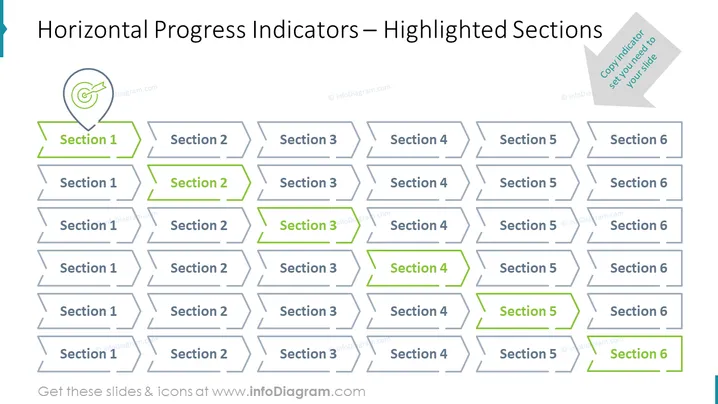
Horizontal Progress Indicators – Highlighted Sections
Slide Content
The PowerPoint slide presents a concept of "Horizontal Progress Indicators," where sections of a process are highlighted to depict different phases of progression. It contains six variations of a horizontal chart with sections labeled from "Section 1" to "Section 6." Each variation highlights a different section in green to indicate the current phase of the progression. For example, the first row highlights "Section 1," progressing down the rows to the last one, which highlights "Section 6," showing a completed sequence.
Graphical Look
- The slide's background is white, creating a neutral canvas for the content.
- There are six horizontal progress indicator graphics, each presenting a series of outlined rectangles labeled "Section 1" through "Section 6."
- Every row follows a consistent sequence, but each has a different section highlighted in green to signify progress.
- The highlighted section in each row is filled with a green color, with the rest of the rectangles remaining as outlines.
- The slide uses a sans-serif font for text labeling of sections and titles, which enhances readability.
- A green checkmark icon is positioned above the first variation, serving as a starting point symbol.
- A small, folded-corner note styled element at the top right of the slide hints at a customizable feature.
The overall visual composition is clean, orderly, and effective for displaying progression. The use of color highlights to indicate progression through sections is an intuitive way to present project status or steps in a process.
Use Cases
- To visually represent project milestones and current progress during status meetings or project reviews.
- For illustrating stages in product development or service implementation in client or stakeholder presentations.
- To explain the workflow or step-by-step process in educational or training environments.
- As a component of interactive reports or dashboards where sections light up as progress is made.
How to Edit
How to edit text & colors

How to expand / shorten diagram

How to Replace Icons in infoDiagram PPT


