
Reviews
Sus gráficos añaden un toque agradable a mis presentaciones y recientemente los usé para una de mis reuniones generales. Su conjunto de herramientas añade profesionalismo a mis diapositivas. En lugar de usar imágenes prediseñadas estándar.
Necesitaba un aspecto fresco para algunas de mis diapositivas. Había intentado encontrar una forma de crear un efecto de pincel, de subrayar, acentuar, añadir algo de color y los marcadores escritos a mano fueron justo lo que necesitaba. Muy fácil de usar, fácil de ajustar el tamaño, cambiar el color. Fue una solución asequible y perfecta, y estoy feliz de recomendarla.
El aspecto nítido y limpio de los gráficos, y el hecho de que me permitiera editar y cambiar fácilmente los colores para que coincidieran con la plantilla fue mi principal razón para comprarlos.
Description
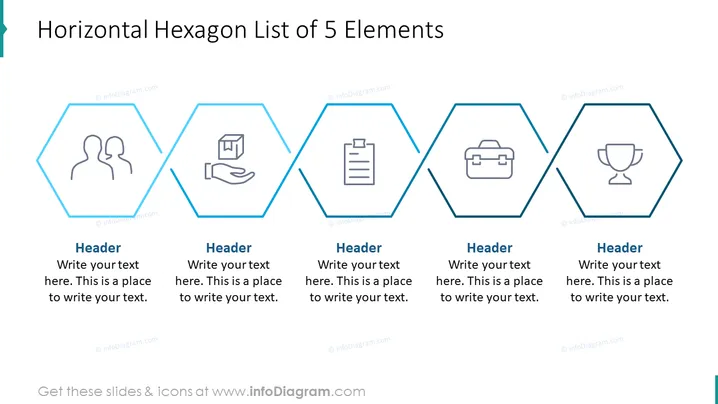
Horizontal Hexagon List of 5 Elements
Slide Content
The PowerPoint slide presents a "Horizontal Hexagon List of 5 Elements," designed to organize and showcase a series of five related ideas or concepts. Each hexagonal shape contains a unique icon and space for a heading and explanatory text, inviting the presenter to customize the content. Examples of applications for each element could be steps in a process, key team roles, service features, or business goals. The alignment suggests a sequence or connection between the items.
Graphical Look
- A series of five hexagonal outlines are equally spaced in a horizontal row across the slide.
- Each hexagonal shape encloses a line art style icon centered vertically within the hexagon.
- Below each hexagon is a placeholder for a "Header" displayed in bold.
- Underneath the header is a placeholder text "Write your text here. This is a place to write your text." in a lighter font for additional description.
- The icons depicted from left to right are: two abstract human figures, a hand receiving a package, a clipboard with a checkmark, a briefcase, and a trophy.
- The slide background is white, providing a neutral backdrop for the hexagons and icons.
- The hexagons and icons are colored in shades of blue, giving the slide a professional and cohesive appearance.
The slide has a clean and professional look, using the contrast between the blue hexagon outlines and icons against the white background to draw attention to the content. The simple line art icons are universally recognizable and add to the theme without being distracting.
Use Cases
- Introducing a team and their specific roles within a project or organization.
- Outlining the stages of a process in a business or manufacturing setting.
- Describing the key features or benefits of a product or service.
- Summarizing the goals and objectives in a strategic business plan or presentation.
How to Edit
How to edit text & colors

How to expand / shorten diagram

How to Replace Icons in infoDiagram PPT


