
Reviews
Ihre Grafiken verleihen meinen Präsentationen eine nette Note, und ich habe sie kürzlich für eines meiner All-Hands-Meetings verwendet. Ihre Toolbox verleiht meinen Folien Professionalität, anstatt Standard-Clipart zu verwenden.
Ich brauchte einen neuen Blick auf einige meiner Folien. Ich habe versucht, einen Weg zu finden, einen Pinselschlag-Effekt zu erzielen, um zu unterstreichen, hervorzuheben, Farbe hinzuzufügen, und die handgeschriebenen Markierungen waren genau das Richtige. Sehr einfach zu bedienen, leicht in der Größe zu ändern, die Farbe zu ändern. Es war eine erschwingliche, perfekte Lösung und ich empfehle sie gerne weiter.
Die klare, saubere Optik der Grafiken und die Tatsache, dass ich die Farben leicht bearbeiten und an die Vorlage anpassen konnte, war mein Hauptgrund für den Kauf.
Description
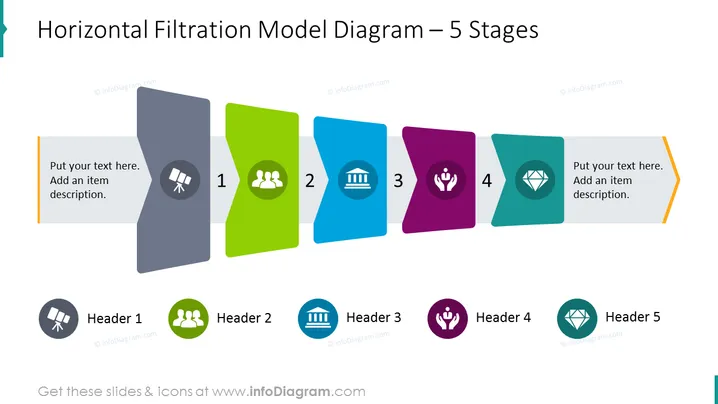
Horizontal Filtration Model Diagram – 5 Stages
Slide Content
The slide is focused on depicting a Horizontal Filtration Model consisting of 5 Stages, which is typically used to demonstrate a linear process or workflow. Each stage is represented by a differently colored banner with a representative icon, implying different phases or steps with Header 1 through Header 5 for respective stage titles. On the left and the right of the diagram, there is space provided to add descriptive text for the first and last stages, indicating that this layout is suitable for detailed explanations and elaboration on the start and end points of the filtration model.
Graphical Look
- The slide uses a bright color palette with distinct colors for each stage - grey, green, blue, purple, and teal.
- Each stage is depicted as a rectangular banner with a slight perspective shift, creating a 3D effect as if layered behind one another.
- On each of these banners, a white circle contains a unique icon representing the stage:
- Stage 1: Two figures implying collaboration or teamwork.
- Stage 2: A classical building representing structure or institution.
- Stage 3: A hand with a sprout, symbolizing growth or care.
- Stage 4: A diamond, possibly signifying value or quality.
- Stage 5: The icon is not clearly visible; it repeats the one from stage 3.
- The first and last banners extend outward, framing two text boxes for additional information.
- There are five smaller circles below the banners with corresponding icons and header texts.
- The overall visual style is modern and sleek, with a clean layout and shadow effects giving depth to the elements.
The slide is visually appealing with its use of contrasting colors and textured shadows, which adds depth. The 3D perspective of banners and the clean iconography give it a professional and contemporary look.
Use Cases
- To illustrate a step-by-step process or workflow in a corporate or educational presentation.
- To break down the phases of a project and assign responsibilities or goals to each stage.
- For visualizing a marketing funnel or customer journey, showing progression through different stages.
- As a training tool to explain sequential steps in a policy or procedure, making it clear and easy to follow.
How to Edit
How to edit text & colors

How to expand / shorten diagram

How to Replace Icons in infoDiagram PPT


