
Reviews
Sus gráficos añaden un toque agradable a mis presentaciones y recientemente los usé para una de mis reuniones generales. Su conjunto de herramientas añade profesionalismo a mis diapositivas. En lugar de usar imágenes prediseñadas estándar.
Necesitaba un aspecto fresco para algunas de mis diapositivas. Había intentado encontrar una forma de crear un efecto de pincel, de subrayar, acentuar, añadir algo de color y los marcadores escritos a mano fueron justo lo que necesitaba. Muy fácil de usar, fácil de ajustar el tamaño, cambiar el color. Fue una solución asequible y perfecta, y estoy feliz de recomendarla.
El aspecto nítido y limpio de los gráficos, y el hecho de que me permitiera editar y cambiar fácilmente los colores para que coincidieran con la plantilla fue mi principal razón para comprarlos.
Description
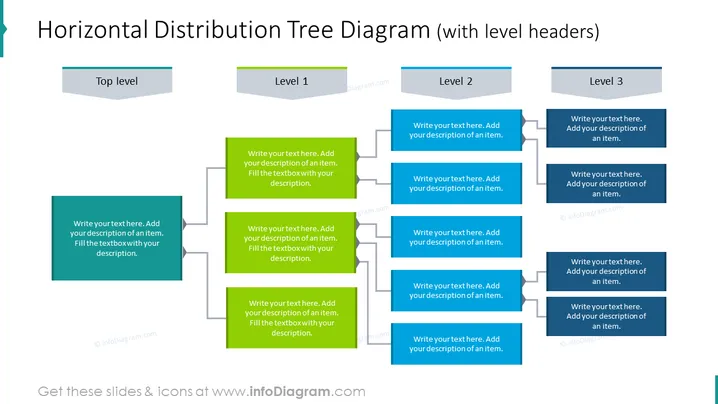
Horizontal Distribution Tree Diagram (with level headers)
Slide Content
The slide presents a Horizontal Distribution Tree Diagram with level headers designed to illustrate hierarchical information or organizational structures. The diagram has one "Top level" box at the far left, leading to three branches labeled "Level 1," "Level 2," and "Level 3." Each of these branches further divides into two boxes where descriptions can be added, providing detail on subordinate elements or steps that relate to each of the main levels.
Graphical Look
- The slide has a clean and flat design aesthetic.
- A large bold title is centered at the top in dark text.
- To the left, there is a dark teal rectangle labeled "Top level" with a lighter overlay for the text.
- Each subsequent level is represented with a light gray header rectangle labeled "Level 1," "Level 2," and "Level 3," each progressively indented to the right.
- Below each level header, there are two matching rectangles for additional descriptions, connected by lines to their respective headers, indicating hierarchy. These rectangles are also dark teal with lighter overlays for text.
- All rectangles have a slight shadow effect suggesting a layered look.
- A white background enhances the contrast of the elements.
The overall look of the slide is modern and professional, with a clear visual hierarchy made evident through indented levels and connecting lines. The color scheme is simple, focusing on teal and gray to distinguish elements.
Use Cases
- To depict company or team structure, showing how different departments or roles are interconnected.
- For demonstrating step-by-step processes or workflows with multiple dependencies or branches.
- In educational settings, to outline the structure of a course or chapter, breaking down into sections and subtopics.
- For project management presentations, to illustrate the distribution of tasks across various project stages or teams.
How to Edit
How to edit text & colors

How to expand / shorten diagram

How to Replace Icons in infoDiagram PPT


